Yield Control v 1.3


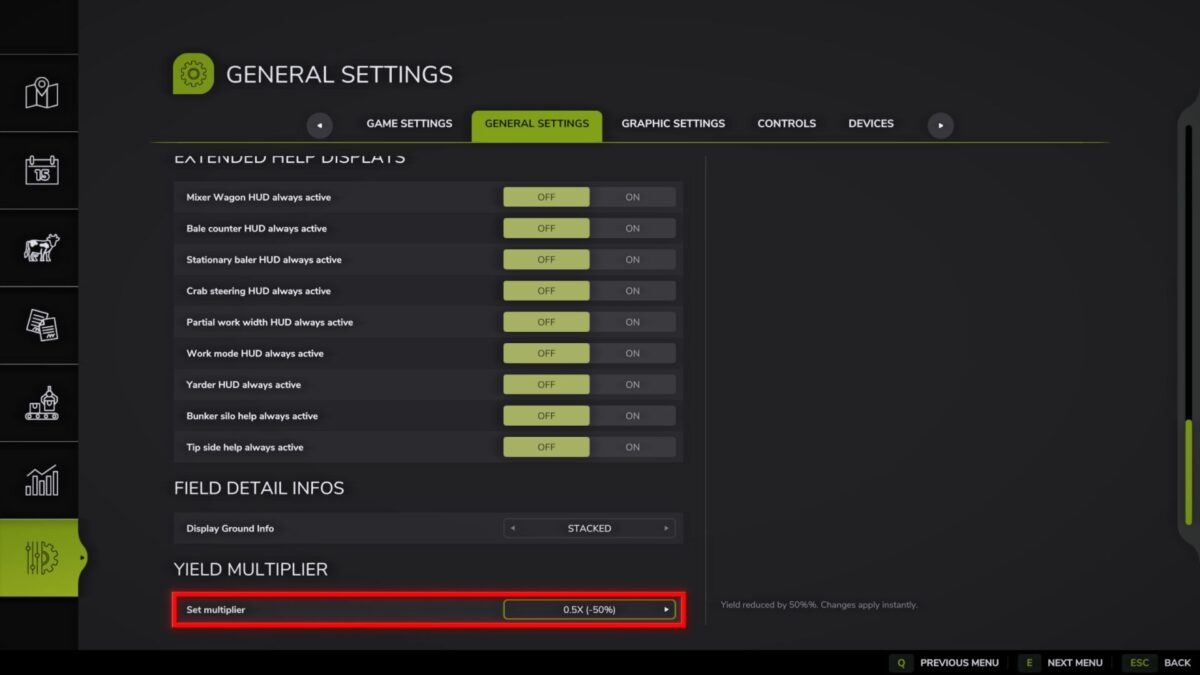
This mod allows you to change the base yield multiplier for ALL harvested crops directly through the game settings.
Key Features:
Works with all crops and additions, including grains, roots (sugar beets, carrots, parsnips, etc.), grass and also poplar.
Change the multiplier from 0.5x (hardcore) to 5.0x instantly, without restarting the game or reloading the save.
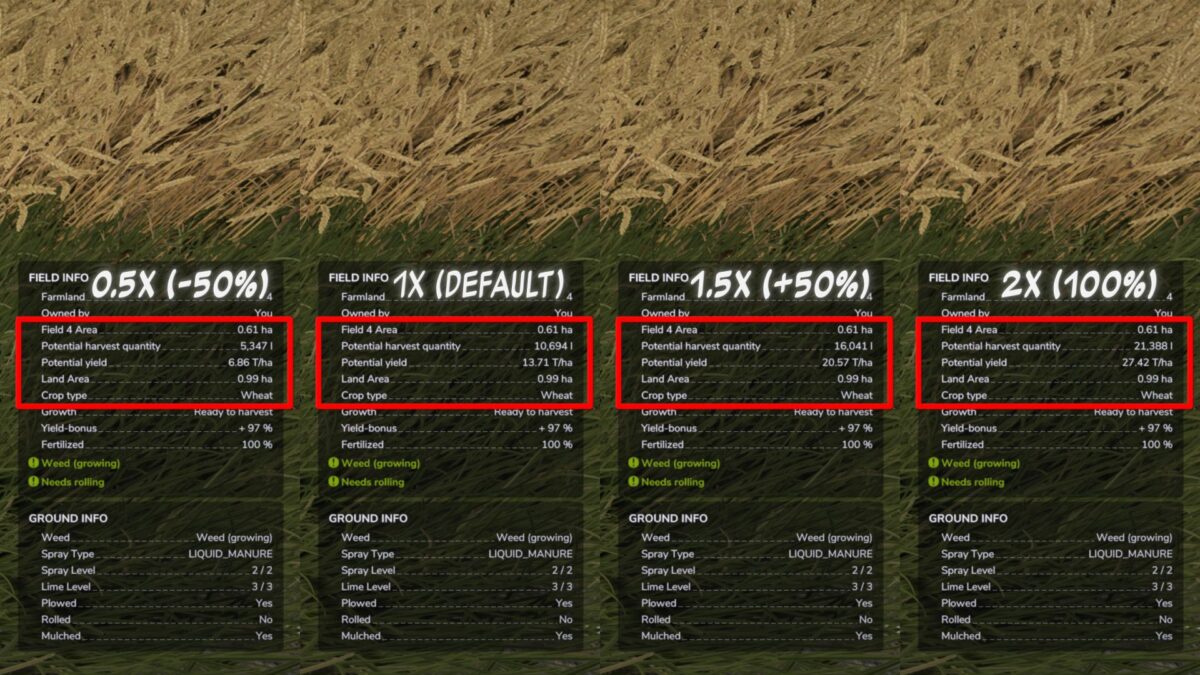
The infotext of the fields is updated immediately after changing the settings, allowing you to accurately plan your yield.
Important information about straw:
– The mod increases the volume of the main product (grain, vegetables). The volume of straw is calculated separately by the game and is not multiplied proportionally to the grain harvest.
Ideal for players who want to customize the economic difficulty or maximize the efficiency of large farms.
Important:
If you used previous versions of the mod, delete the old global settings file:
Documents/MyGames/FarmingSimulator2025/modSettings/FS25_YieldControl.xml
This is necessary for the new system of saving settings to work correctly for each save.
Version 1.3:
* The system for saving yield multiplier settings has been completely redesigned
* Multiplier settings are now saved separately for each save (previously it was a global setting for all saves)
* Improved loading and application of settings
Credits:
B1zaro