
FS25 Misc

Bag Packaging Pack with Bucket v 1.0

Bag Packaging Pack with Bucket v 1.0

Grain Bagging Pack: Operation Guide
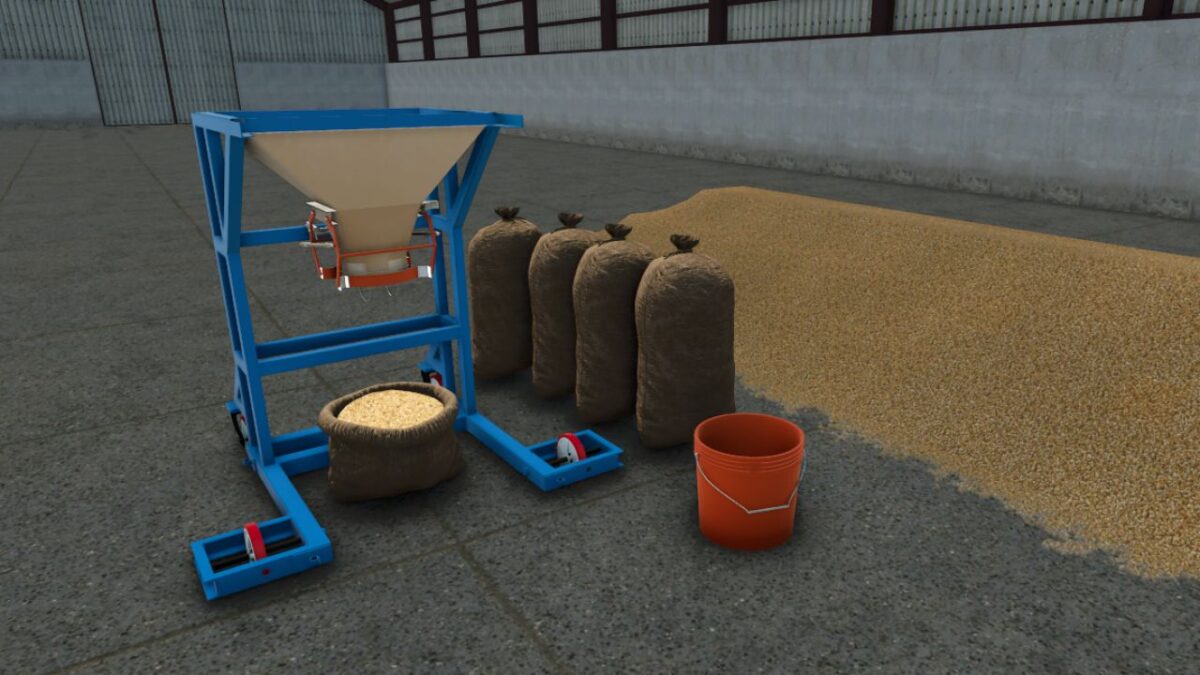
This pack includes a mobile bagging unit and a dedicated bucket for loading.

Follow these steps to begin the bagging process:
Loading the Hopper: Use the provided bucket to scoop up your grain and pour it into the bagging unit’s filling funnel (hopper).
Starting the Process: Once the hopper is filled, press the [B] key to engage the machine and start packing the grain into the bags.
A strong person needs to be involved in certain situations (easy developer controls mod).

Credits:

honved4

How to install FS25 Misc?
Firstly find a mod which you like and want to download. Then download a mod to your PC. Mods are usually in .zip format file. But sometimes it can be in .rar. If a mod file is a .zip format no needed additional actions. If a file is in .rar, then you must unarchive mod with software like WinRar or Zip7. Windows 10 users no need to use software for archives, Win10 itself has a feature to unarchive files.
The next step is to find mods folder in your PC. Usually, it is in Documents/My Games/Farming Simulator 25/2025. Open the "mods" folder and put downloaded .zip archive or unarchived .rar file to this folder.
Last step. Enjoy of FS25 mods!

Leave a Reply

Your email address will not be published. Required fields are marked *