

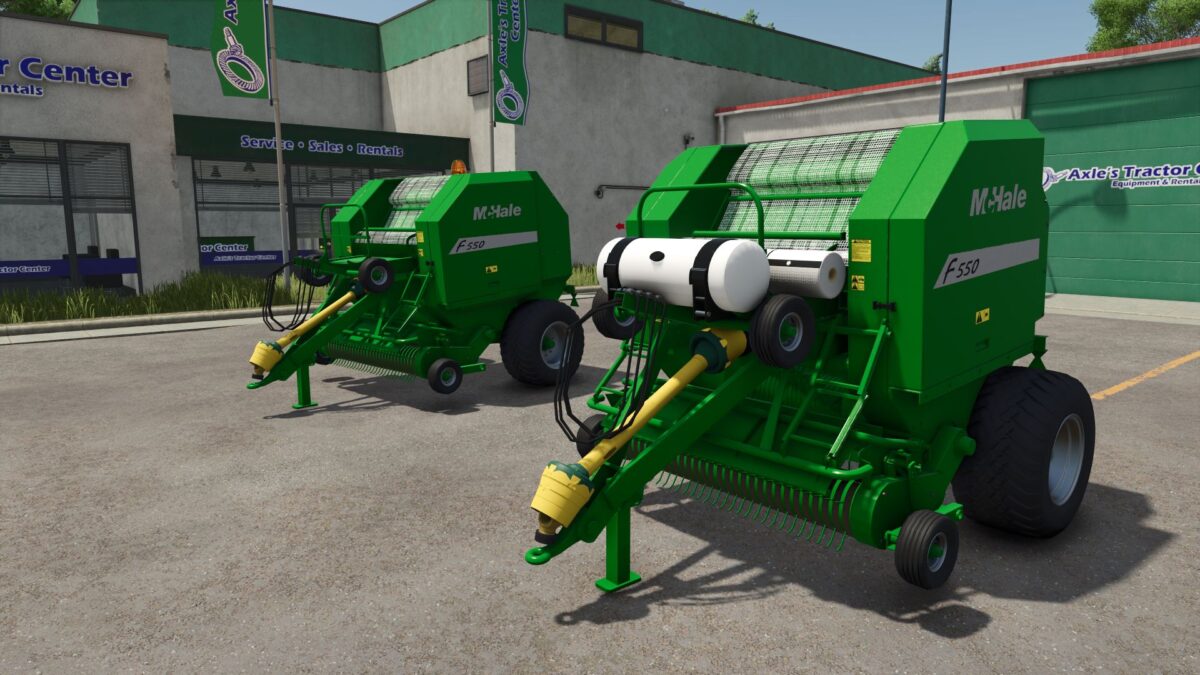
McHale F550 v 2.3


What’s Been Done
Completely rebuilt model from a fresh canvas
Condensed the model (previously had hundreds of transform groups)
Removed old diffuse setup and rebuilt using UDIM workflow
Reworked materials properly in Blender
Added proper mask system (previously missing)
Improved key areas like the main body and pickup
Key Features / Changes
Supports 125cm and 150cm bales
(180cm not possible due to model size)
Optional beacon light
Bale wrap added (as per original release)
Optional Crop Preserve Tank
Enables silage additive
Allows 5% bonus on silage bales
Wheel hubs now match baler colour
Pickup wheels now corrected and static (no longer incorrectly mounted/moving)
Overall model improvements
Much improved dirt, wear, and wetness masks
Version 2.3:
* Model now added without the front extra wheels as requested
* Vredestein 500_55R20 missing wheels now added and fixed
Credits:
Scootz1989, MM.JA.NE:Modding


