


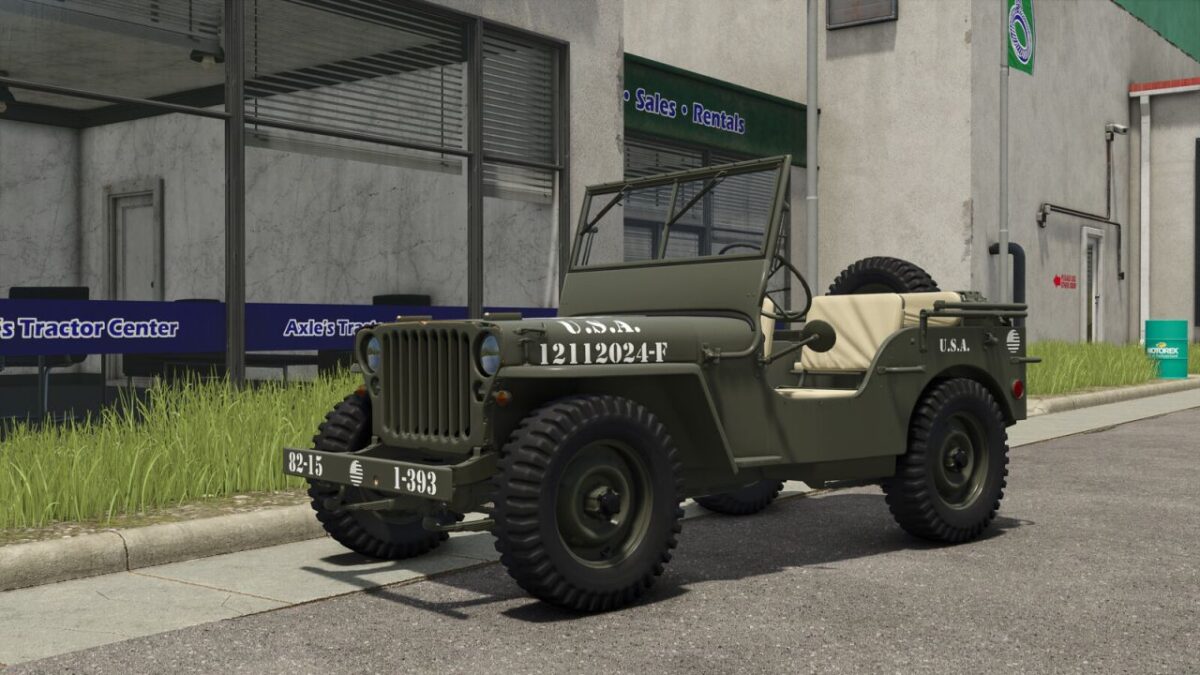
JW 4×4 v 1.0


Features (In the order of the tent)
– Base Price: 32.400 $
– 3-speed manual gearbox.
– Fuel tank capacity: 14,8 Gallons + 5,3 Gallons optional.
– Weight: 3086 Pounds.
– 2 Engines: 60 Hp (Maximum speed 65 mph) 296 Hp (Maximum speed 105 mph)
– 24 different tires (BKT, Continental, Lizard, Michelin, Mitas, Nokian, Trelleborg and Vredestein).
– 2 sizes for all tires, 205/65 R16 (No crop damage), 325/65 R16 (Crop damage)
– Optional winch (maximum pull 7720 Pounds).
– Front attachments: Hitch and hitch rings.
– Optional side headlights.
– Optional side tools.
– Optional spare wheel.
– Optional decals: 6 different types.
– Window tinting (5 options).
– 3 different rear hitches: Original (Trailer), Trailer and Low Trailer.
– Optional extra fuel canister: 5,3 Gallons
– 3 vehicle configurations: fabric cover, roll bars and gooseneck hitch.
Color configurations:
Main
Hardware
Seats and Protectors
Fabric Cover
Rims
More than 100 colors available for all color configurations.
Front and rear license plate.
Credits:
Hispano, 82 Studio


