

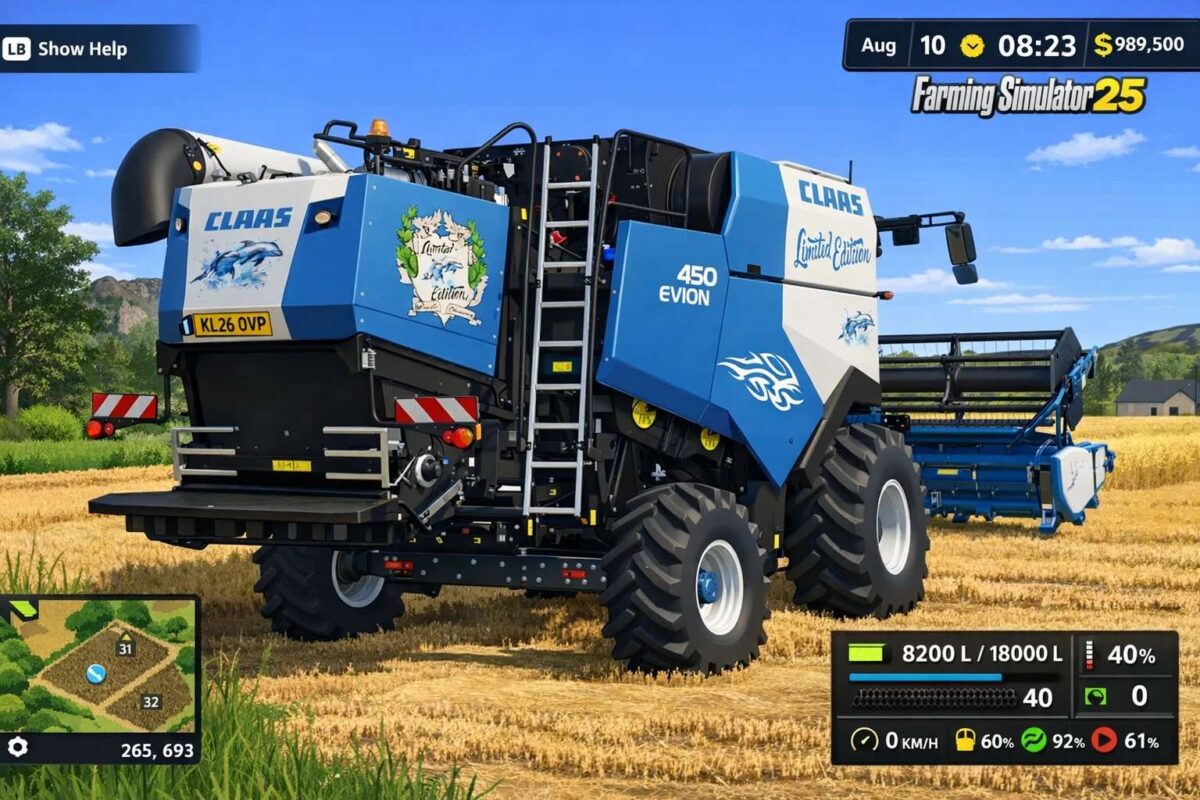
Claas Evion 450 Limited Edition Pack v 1.2


Evion 450 Limited Edition
Price: 204,500
Increased overall weight
Engine performance optimized
Enlarged grain tank capacity
Faster unloading speed
Maximum speed: 40 km/h
Customizable main color, design color, undercarriage color, seat color, cab design, tribal color, and rim color
Selectable grain tank capacity
Tribal/logo option (with or without CEBIS)
Upgraded to Limited Edition software
Extended service interval
Vario 620 Limited Edition
Price: 47,000
Working speed: 15 km/h
Working width: 7.2 m
Limited Edition logo option (with or without branding)
Customizable main color, side panels, reel, and decals
Extended service interval
N40BX Limited Edition
Price: 6,500
Customizable main color, design color, and rim color
Logo options: Standard, Logo, or Dolphins
Extended service interval
Diamant 8 Limited Edition
Price: 57,100
Working speed: 15 km/h
Limited Edition logo option (with or without branding)
Customizable main color, design color, and logo color
Decal options: Standard, Limited Edition, or Limited Edition 2
Version 1.2:
* Added FBM design
* Lettering and logo selectable
* Added ultimate farming
Credits:
Dolphin


