
FS25 Buildings

Pig Feed Mixing Plant v 1.0

Pig Feed Mixing Plant v 1.0

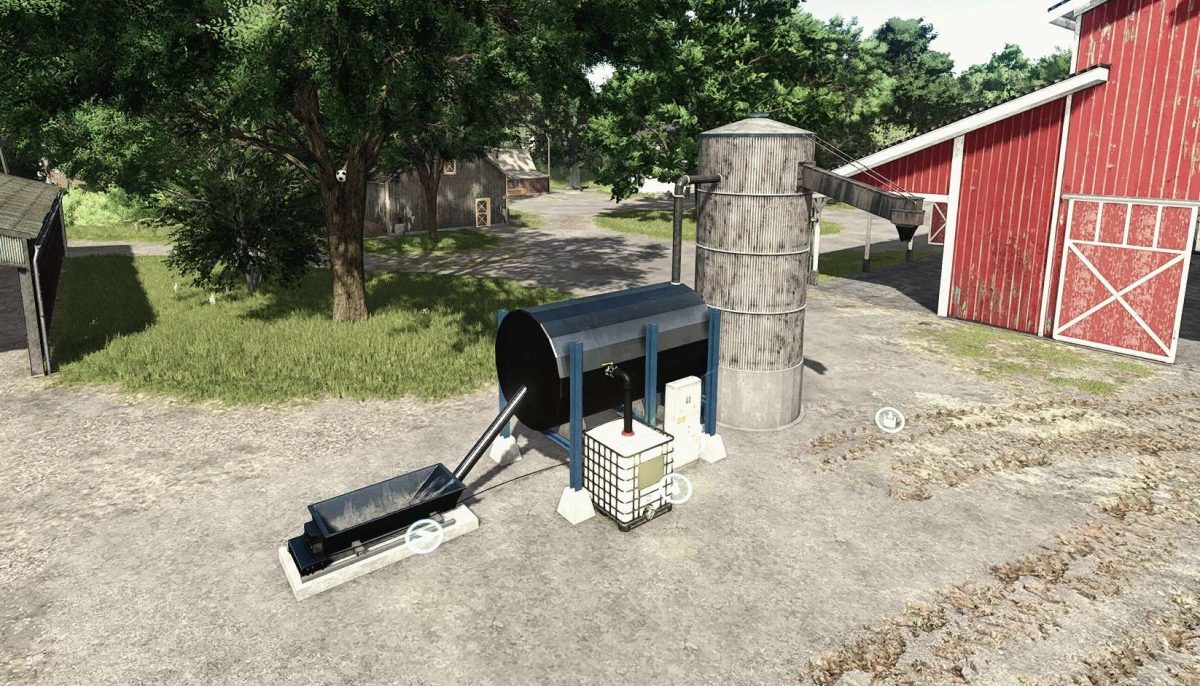
With this modern pig feed mixing plant, you can produce high-quality premium pig feed directly from your own crops.
Whether corn, canola, potatoes, sugar beets, sunflowers, or soybeans – the plant efficiently processes your harvest into nutrient-rich feed that ensures healthy and productive pigs.
Production of premium pig feed from common field crops.
Space saving design.
Ideal for pig farmers who want to operate independently and cost effectively.
Invest in your livestock and improve the quality of your farm – with the Pig Feed Mixing Plant for only €19,000.

Credits:

Olli Modding

How to install FS25 Buildings?
Firstly find a mod which you like and want to download. Then download a mod to your PC. Mods are usually in .zip format file. But sometimes it can be in .rar. If a mod file is a .zip format no needed additional actions. If a file is in .rar, then you must unarchive mod with software like WinRar or Zip7. Windows 10 users no need to use software for archives, Win10 itself has a feature to unarchive files.
The next step is to find mods folder in your PC. Usually, it is in Documents/My Games/Farming Simulator 25/2025. Open the "mods" folder and put downloaded .zip archive or unarchived .rar file to this folder.
Last step. Enjoy of FS25 mods!

Leave a Reply

Your email address will not be published. Required fields are marked *