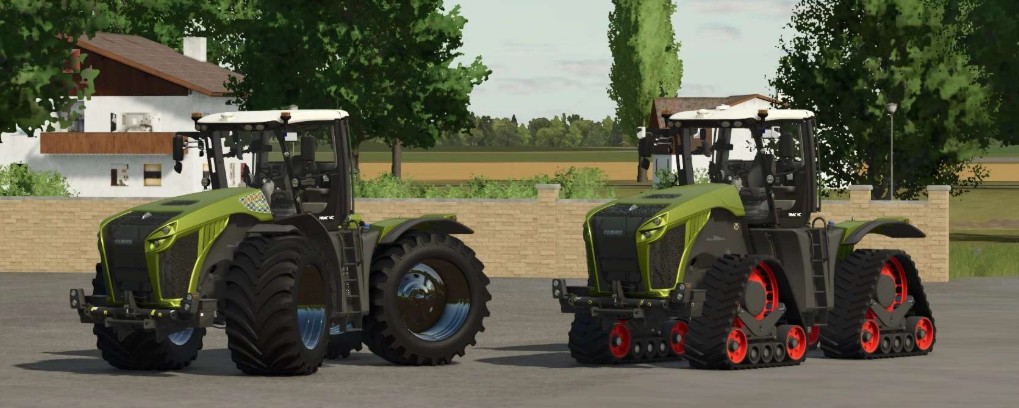
Claas Xerion 5000 v 1.0.0.6


Price: €409,500
Performance: Engine power and color selection available with original Claas options
– Engine Configurations:
Xerion 4500 – 480 hp
Xerion 5000 – 530 hp
– Optional Engine Configurations:
“Chip tuned” 880 hp
“Power Line” 1000 hp
– Features:
Terra Tracs new
Rotating cab (Shift left + B without attached implement or trailer!)
Steering modes switchable (crab steering left/right, four-wheel drive, front axle – Ctrl + Z)
Front PTO/power take-off
Choice of roof and exterior colors
Ball hitch attacher optionally available in the shop for the “large KAWECO slurry tanker” from the original SaddleTrac Pack by GIANTS
Extra Goodyear wide tires with choice of with or without wheel hub covers
Various other wide tires and dual tires available
Optional with or without warning signs, EU and US versions
Precision Farming Ready, ISARIA Pro Compact sensors selectable in the shop
realGPS optionally available in the shop; the realGPS mod is required for this function
Interactive Control new
Version 1.0.0.6:
* Complete rebuild due to a failure after GIANTS Update 1.14.0.0
* Added Interactive Control functions: ignition lock, left door, turn signals, hazard lights
* Tape drives available
* Details and interior optimized
Credits:
Wobby_