

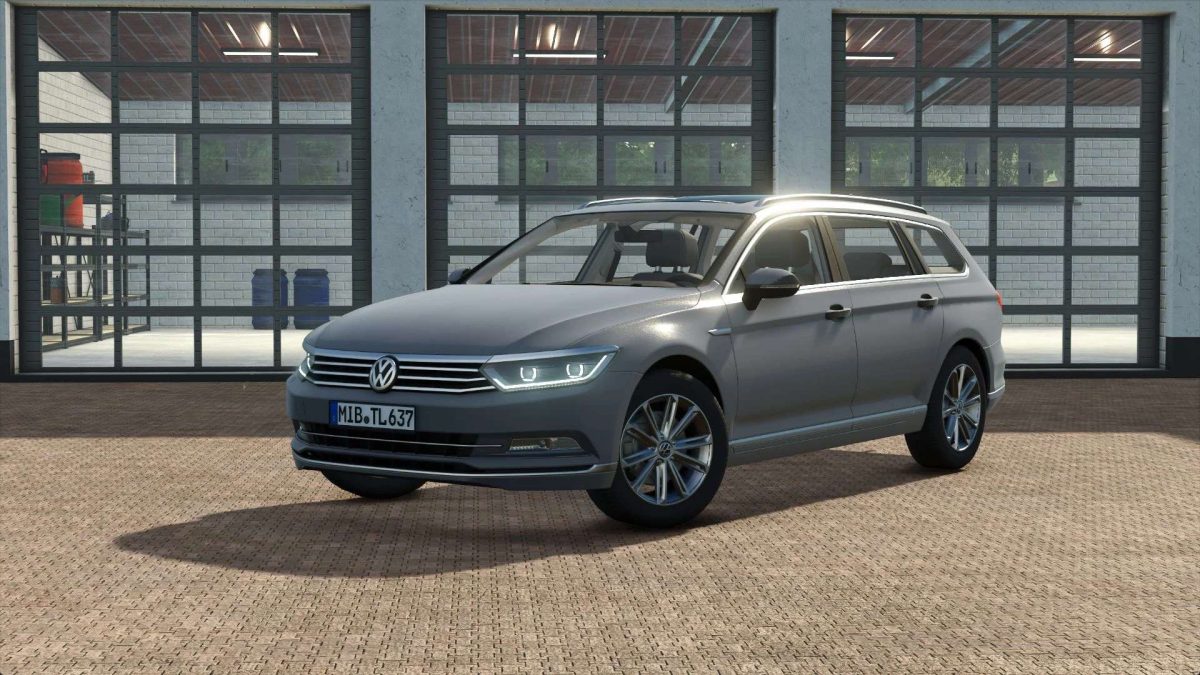
2015 Volkswagen Passat B8 v 1.2.1.0


– Price: €33,000
– Max. power: 200HP
– Maximum speed: 214 km/h
Features:
– Horn control
+ Select horn with U (city / compressor)
+ Activate horn with Y
– Rear warning on button ‘X’ (Only in conjunction with the DBS4000 & 5000)
– Animated doors via interactive control
– Passenger seats
– Real GPS support
– Rear view camera via Mercedes-Benz Trucks Pack
Configurations:
– Design configurations
+ Civil
+ Mittelberg fire department
+ Emergency doctor / rescue service Mittelberg
+ Police
+ public order office
+ customs
+ ADAC
+ VSRM
+ Mittelberg road maintenance department
+ Taxi
– Bar configurations
– Bar color configurations
The horn control is not working correctly.
Go to Settings > Controls > Real GPS Mod and delete the button mapping for “Toggle Map Mode” as this overlaps with the horn control.
Version 1.2.1.0:
* Added Rear view camera (requires Mercedes Benz Trucks Pack)
* ModDesc version increased to 104
Credits:
SoSi-Modding, TschiZack


