

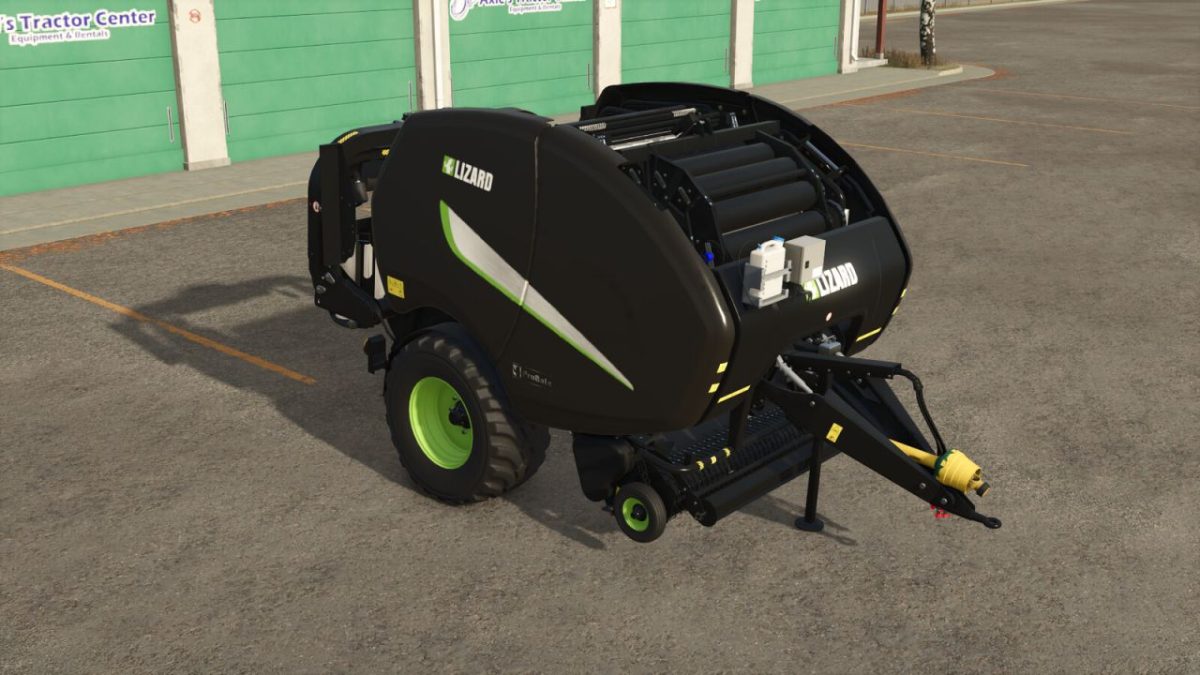
Lizard ProBale v 1.0.2.0


The ProBale is a premium bale and wrapper combination unit with plenty of small quality of life tweaks that make baling easier without completly ruining immursion/roleplay. If unrealistic is more your style, there are additional Unreal customizations as well!
– Category: Roundbalers
– Price: $130,000
– Required power: 160 hp
– Working speed: 15/25 mph
– Unload unfinished bales WITHOUT additional mods/scripts
– Disable the bale wrapping WITHOUT additional mods/scripts
– Custom bale sizes and capacities
– Support for alfalfa, clover, soybean straw and corn stalk custom bales
– Increased bale wrapping speed
– Decal configurations
– Pickup width configurations (with configurable indicators)
– Optional silage additive (including support in alfalfa/clover bales)
– Rear hitch configurations
– Color options for frame, side panels, and rims
Baler Configurations:
Standard baler configuration contains bales with 1.5x capacity. Additional Unreal baler configurations feature larger capacities (3x/5x/7x/9x), liftable bales and reduced bale net/silage additive consumption.
(NOTE: Unreal bales use custom bale sizes that require modded autoload trailers and wrappers; the basegame equipment will not work on Unreal bales and not all modded trailers/wrappers are configured for custom bale sizes)
Unload Unfinished Bale:
For unloading unfinished bales to work, the ProBale operates a little different than other bale wrapper combinations. This biggest change is “Toggle Automatic Drop” toggles the baler loading into the wrapper unit. The wrapper is set to ALWAYS AUTOMATIC DROP. To unload an unfinished bale, simply turn OFF automatic drop and hit the “Y” key (the bale must be in the main chamber to work)
Version 1.0.2.0:
* Add full AI baling support
* Add support for soybean straw and corn stalk custom bales
* Fix chrome colors preview icon
Credits:
Bb Mods


