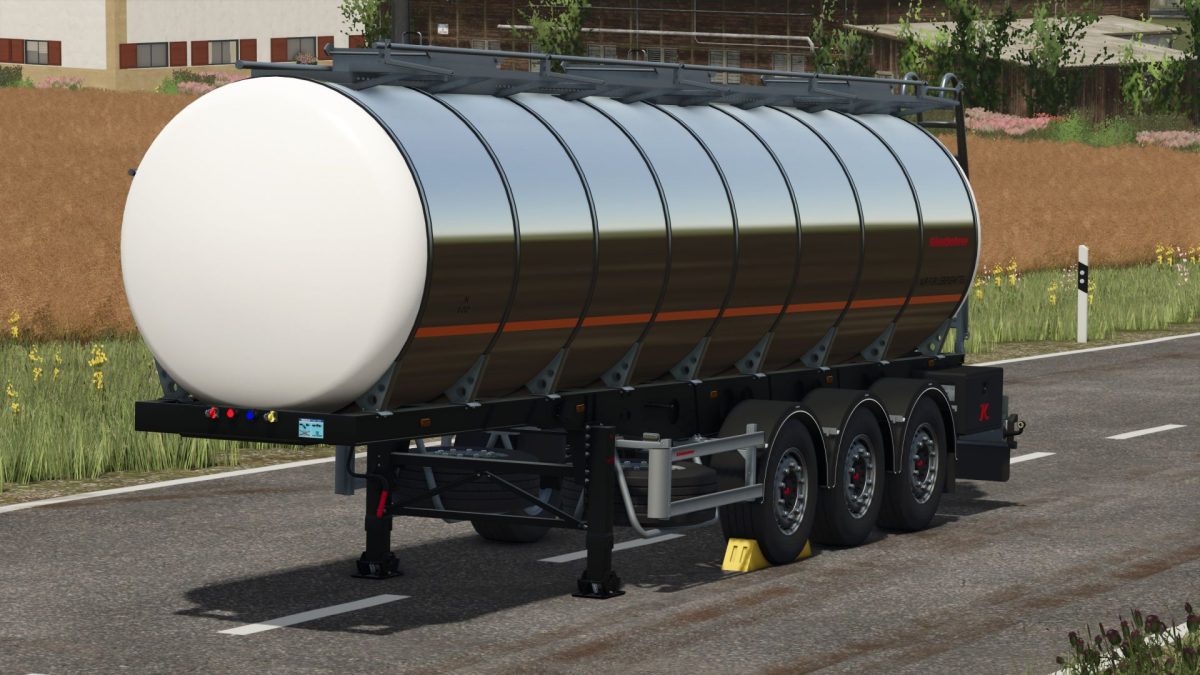
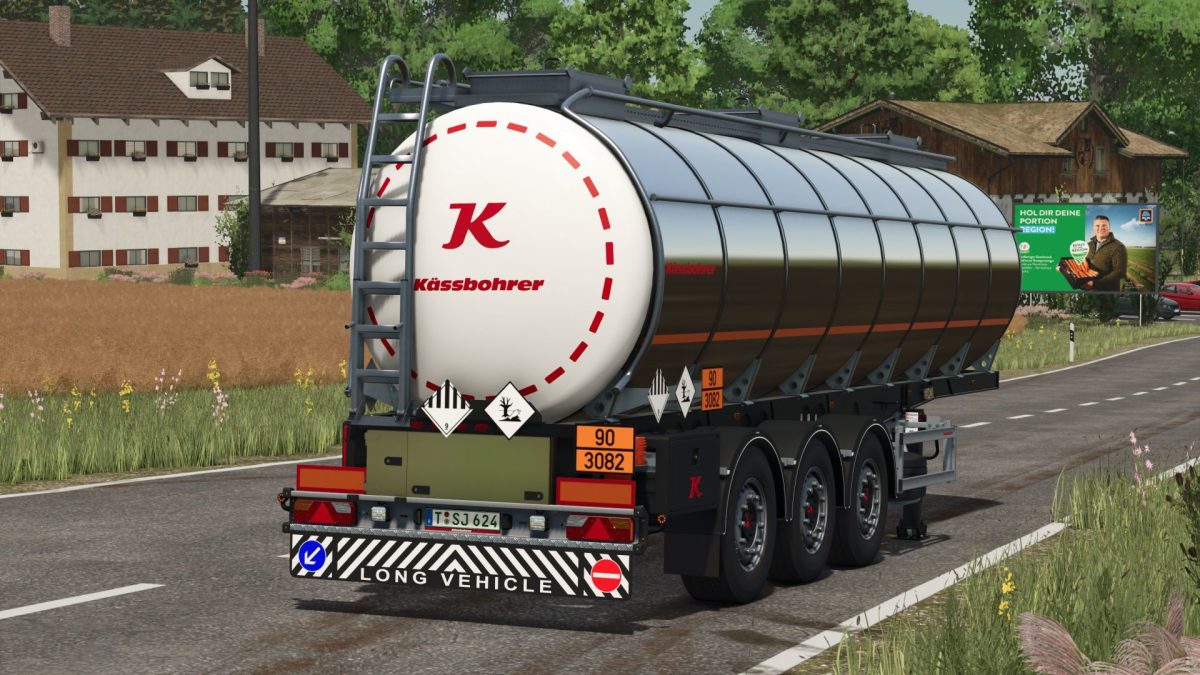
Kassbohrer K STL 30 v 1.0


Capacity: 30,000 L
Compatible filling types:
– Milk, buffalo milk, goat milk, water, sunflower oil, rapeseed oil, olive oil, rice oil, grape juice, liquid fertilizer, herbicide, silage additive, seed dressing
Functions & Features:
– Optional ADR signs can be activated via Interactive Control – ideal for the transport of chemicals such as herbicides
– Animated upper access stairs with handrail
– Selectable filling mode: Realistic (lid opening required) or Simple
– Configurable “Food Only” label in several languages (DE, EN, FR, ES, IT, PL, RU, CZ, NL)
– Working lighting via button 6 or automatically when reversing
– Side marker lights with realistic indicator function
– Optional Kässbohrer logos
– Color choice for frame, container, logos and rims
– Optional reflectors and additional rear lights
Credits:
MR Modding