

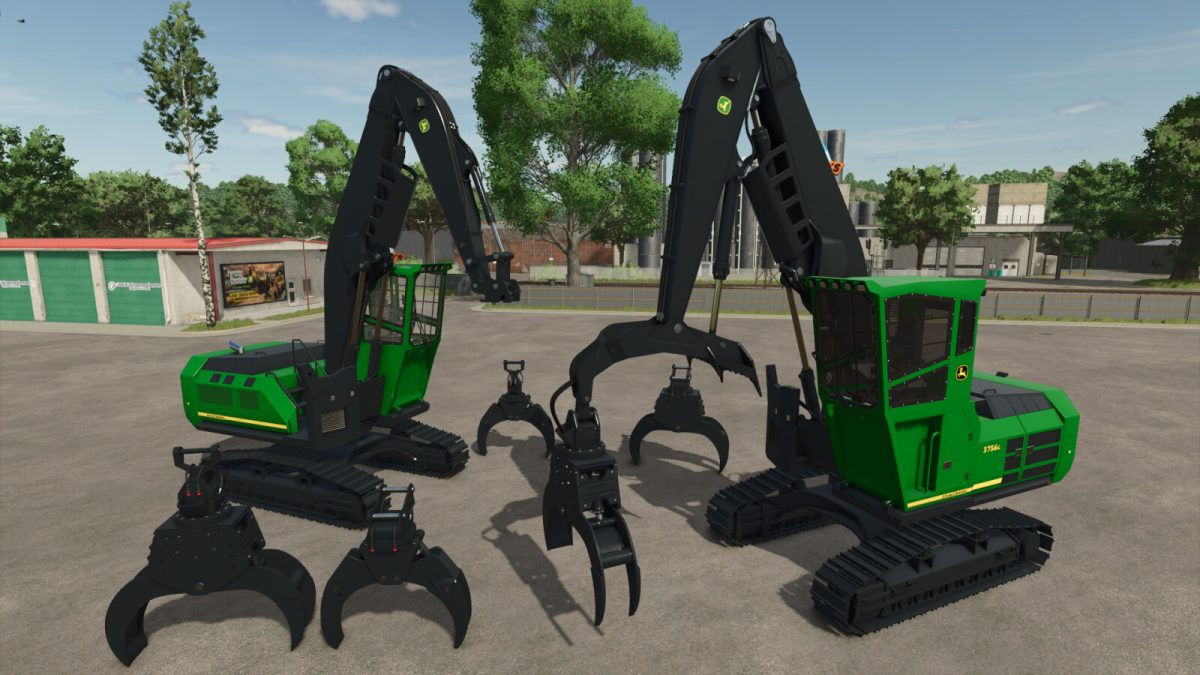
John Deere 3756G Pack v 1.0


This pack contains 2 versions of John Deere excavator and 4 log grapples. You can choose from 2 basic configurations in the shop: Mounted log grapple or attacher.
John Deere 3756G / John Deere 3756G Live Heel
Shop category: Excavators
Price: 310000 / 320000 $
Power: 340 hp
Max. speed: 10 kph
Configurations:
– Design
– Tinted windows
– Outdoor camera target (chassis or cab)
– Beacons
– Body color
– Tracks color
– Grapple color
Log Grapples (Fixed or dangle)
Shop category: Excavator Tools
Price: 15000 / 16000 $
Configurations:
– Color
For better stability when handling the trees with live heel, you can lock it to the arm (red area shows up at locking point). Be sure to unlock it before touching anything with the tree.
Default controls:
Toggle grapple rotation (manual or free) – IMPLEMENT_EXTRA (key B)
Lock tree to the heel – IMPLEMENT_EXTRA4 (key Z)
Activate / deactivate fast coupler or heel auto tilt – IMPLEMENT_EXTRA3 (key Y)
Lower cab – LOWER_IMPLEMENT (key V)
Credits:
kenny456


