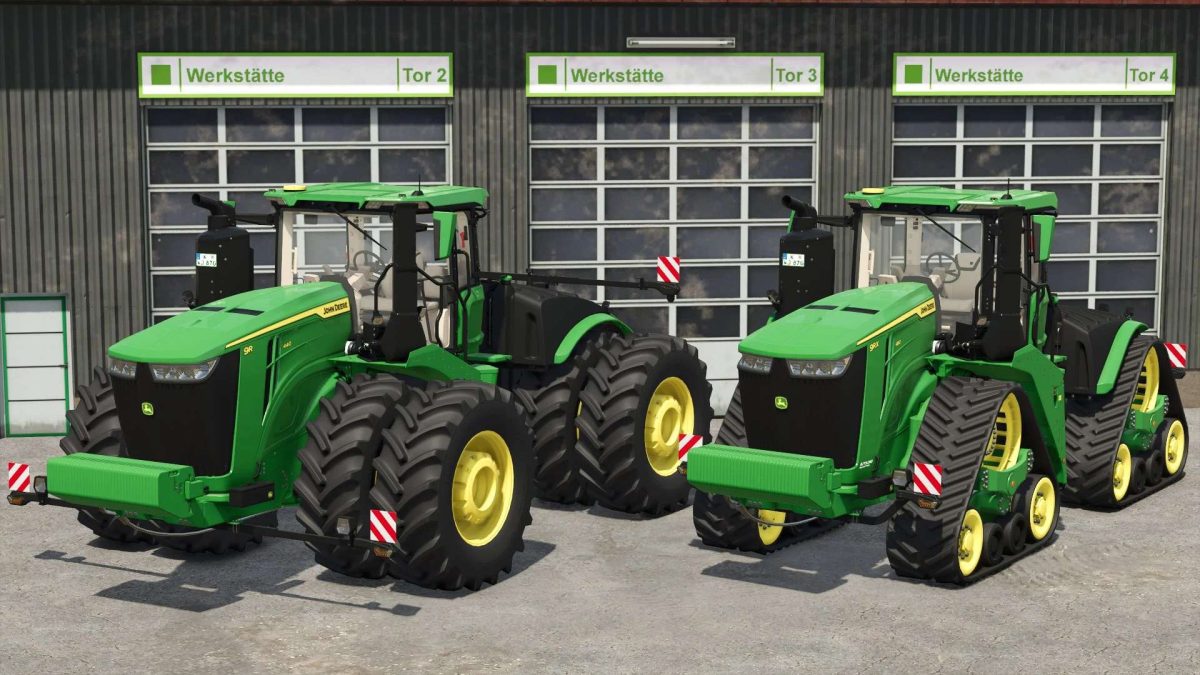
John Deere 9R & 9RX Series v 1.0


John Deere 9R Series:
Models:
– John Deere 9R 440: Power 484 hp
– John Deere 9R 490: Power 539 hp
– John Deere 9R 540: Power 594 hp
– John Deere 9R 590: Power 649 hp
– John Deere 9R 640: Power 691 hp
– John Deere 9R 710: Power 781 hp
– John Deere 9R 770: Power 847 hp
– John Deere 9R 830: Power 913 hp
Features:
– Tracks Configuration Options
– Design Configuration Options
– Front Weight Configuration Options
– Back Attacher Configuration Options
John Deere 9RX Series:
Models:
– John Deere 9RX 490: Power 539 hp
– John Deere 9RX 540: Power 594 hp
– John Deere 9RX 590: Power 649 hp
– John Deere 9RX 640: Power 691 hp
– John Deere 9RX 710: Power 781 hp
– John Deere 9RX 770: Power 847 hp
– John Deere 9RX 830: Power 913 hp
Features:
– Tracks Configuration Options
– Design Configuration Options
– Front Weight Configuration Options
– Back Attacher Configuration Options
Credits:
VitAmiN