

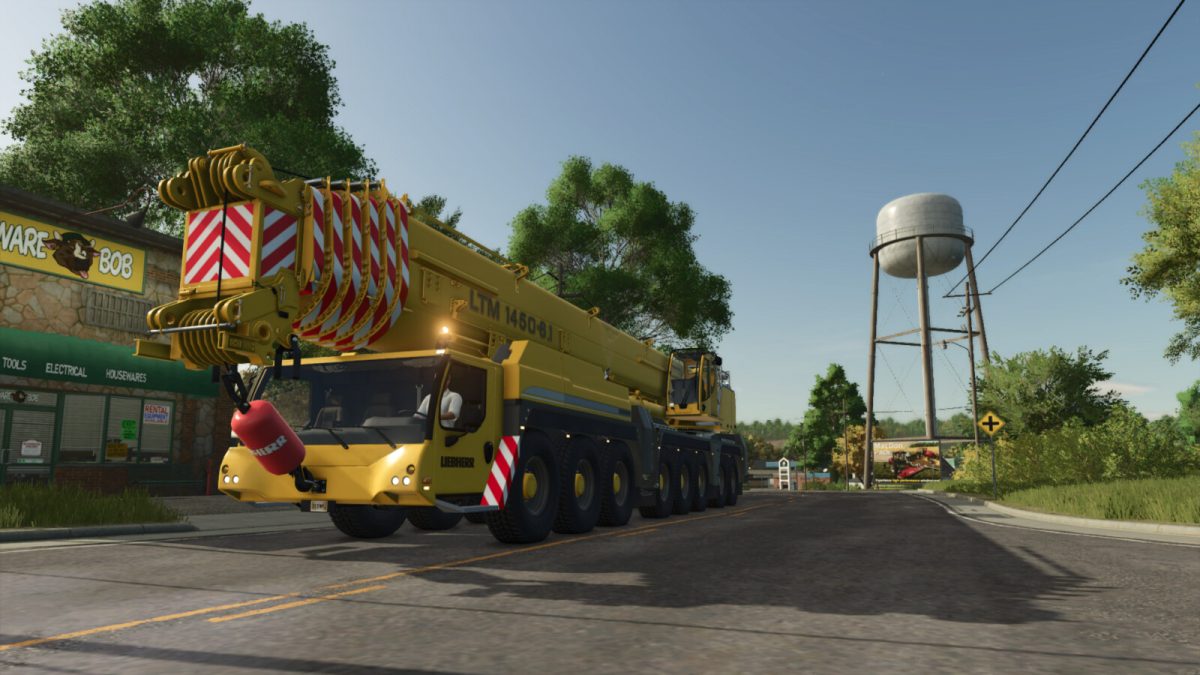
Liebherr LTM1450 Mobile Crane v 1.0


Liebherr LTM1450 8.1 Crane – The big fast-erecting crane!
The LTM 1450-8.1 features a very long yet powerful 7-piece 85 metre (279 ft) telescopic boom.
The 8-axle crane has been designed for worldwide cost-effective mobility and fast, easy setup on site.
Our large fast-erecting crane is capable of travelling on public roads with a 12-tonne axle load carrying its complete telescopic boom, all its outriggers and the complete hoist winch.
This enables it to be prepared for use very quickly once it reaches the site.
The crane can be used with several different accessories available on Modhub (using the bigbag attacher).
Brand: Liebherr
Price: $495,000
Gross Power: 677 HP
Max. speed: 85 kph
Category: Miscellaneous
Features:
– Colour options
– Tilting cab
– Door Opening
– Hook Camera view
– Animated controls and dashboards
– Tension belt on hook
– Realistic weights option
– Control groups
Option 1:
Manual Weights
When you buy the crane in the store this option is for the base crane only. Weights can then be bought seperately in the store and added to the crane manually.
– Liebherr LTM Weight Frame | Category: Weights | Price: $15,000
– Liebherr LTM 7T Base Weight | Category: Weights| Price: $2,000
– Liebherr LTM 5T Weight | Category: Weights | Price: $2,000
– Liebherr LTM 10T Weight | Category: Weights | Price: $2,000
Option 2:
Auto Weights
Rear counterweights will be automatically added when unfolding the crane. The size and weight of the counterweight can be selected in the store when you first buy the machine.
Controls:
Control Group 1
Axis Crane Arm: Rotate Top Component
Axis Crane Arm2: Lift/Lower Main Arm
Axis Crane Arm3: Lift/Lower Hook
Axis Crane Arm4: Boom Extend
Axis Crane Tool: Cab Tilt
Axis Crane Tool2: Hook Rotate
Axis Crane Tool3: Cab Door Slide
Control Group 2
Axis Crane Arm: Left Support In/Out
Axis Crane Arm2: Right Support In/Out
Axis Crane Arm3: Left Support Up/Down
Axis Crane Arm4: Right Support Up/Down
Control Group 3
Axis Crane Arm: Adjust Weight Position (auto weights only)
Credits:
RossN Mods


