

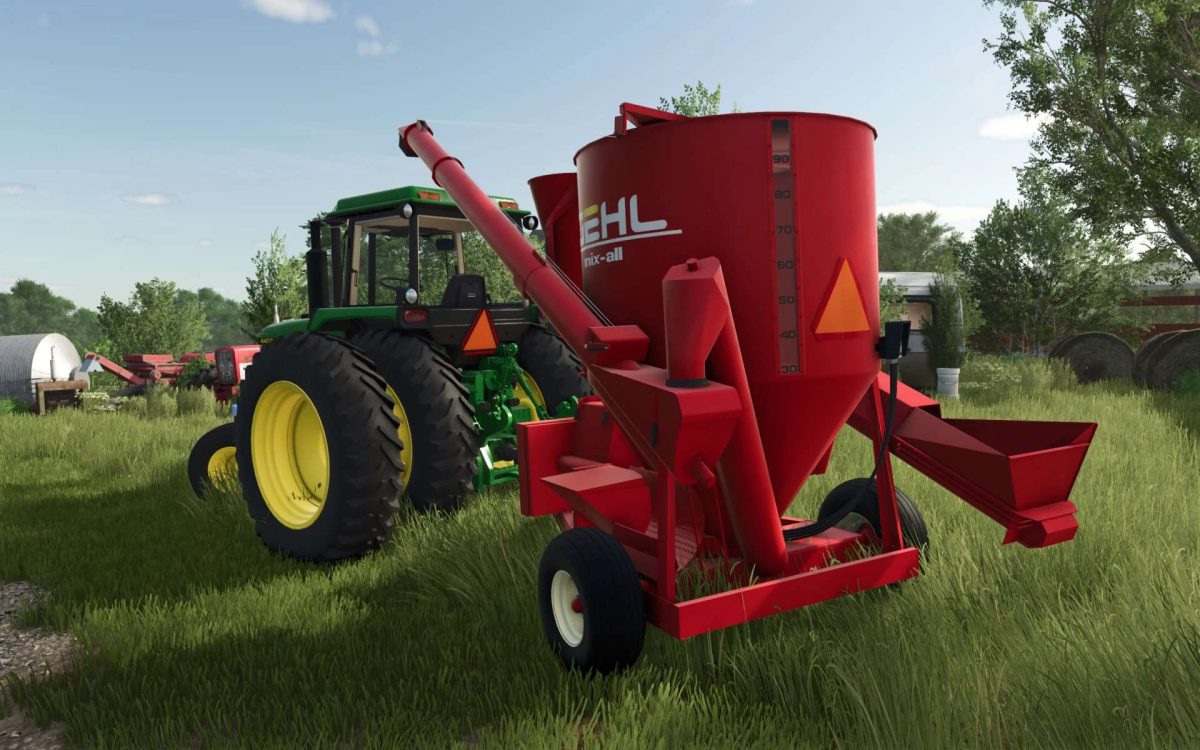
Gehl Mix All 125 v 1.0


Introducing the Gehl Mix-All 125 for FS25. While on the outside it may look the same, this version is designed to be universal in a sense that it will accept and mix whatever is defined in all other map’s xml files and functions the same as the base game mixers by producing either “forage” or “total mixed ration”.
IMPORTANT
On most maps, one or more of the ingredients to mix Total Mix Ration is hay, silage, or straw. I have installed a bale loading trigger on the loading auger (seen in the screenshot) that will allow you to load from bales. You MUST swing out the loading auger using the “open cover” key command in order to see the quantity of material as it is loaded. Be mindful as you approach bales. Any bale that enters that zone will begin loading into the mixer regardless of the auger position.
This is visually a Gehl mixer. However, there are 3 other simi-fictional paint/decal options available at purchase. Additionally you have the option to add a slow moving vehicle sign.
Features:
1) Animated winch handle when raising or lowering the unloading auger.
2) Improved and animated loading, mixing, and unloading augers with associated effects.
3) Accurate wheels and tires donated by Rooster Mods.
4) Photo-realistic Gehl scale panel. This panel powers off automatically when disconnected.
5) Visual only spare grinder screen stowed on the bottom left side of the machine.
6) Many many more small visual tweaks, fixes, and improvements.
Full credit to all the modders that developed the FS22 version. Special thanks goes to JMF Modding, Rooster Modding, NoCreek Farms, and all the testers that made this mod possible. I encourage you to check out all their work. I hope you enjoy this small but mighty feed mixer.
Credits:
Green Acres Modding


