

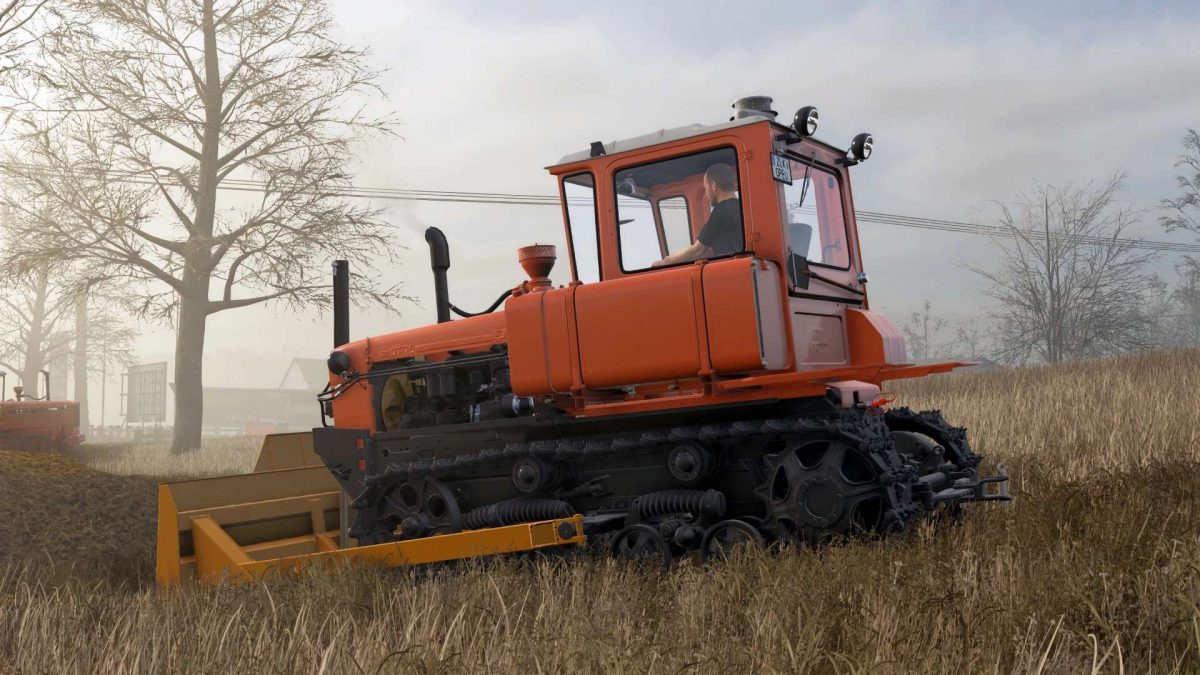
DT-75 v 1.0


– Power: 95, 105, 140 hp
– Maximum speed: 12 km/h
– Fuel tank capacity: 250 liters
– Cost: 75,000 €
– Color selection of different parts
– Configuration of the side flaps
– Rear flap configuration
– Exhaust pipe configuration
– Monocyclone configuration
– Interior cooling configuration
– Configuration of additional lighting
– Insulation configuration
– Configuration of the power take-off shaft
– Front mounting/counterweight configuration
– Rear mounting configuration
– Engine configuration
– License plate configuration
– Animated instruments, toggle switches, pedals, levers, rods, etc…
– Working lighting equipment
– Leaves traces
– Gets dirty and washes
– The effect of aging
– The effect of getting wet
– Passenger
– Support for “Interactive Control”
– Includes 3 blades and a triangle
Credits:
BearFarm


