
FS25 Buildings

Iron Factories Pack v 1.0

Iron Factories Pack v 1.0

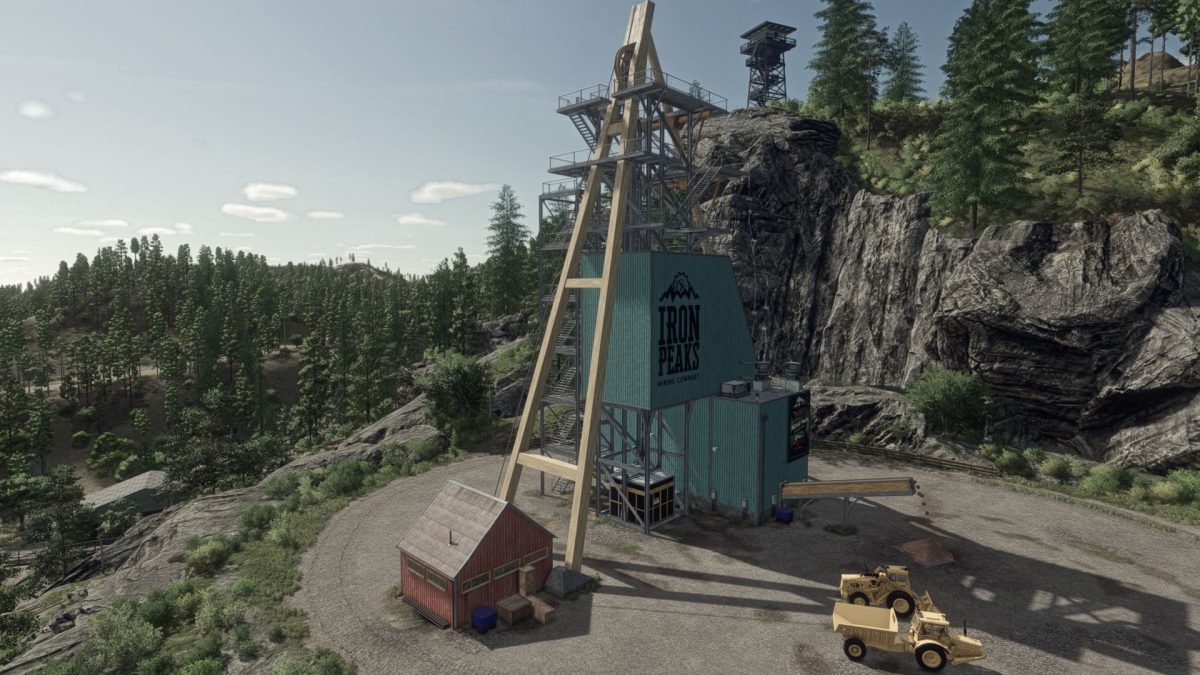
Develop your iron industry with this building pack inspired by the mining universe, for immersive and complete production in Farming Simulator 25.

Pack content:
Mine wells – € 250,000
A robust well allowing continuous extraction of iron ore, ready to feed your production chain.

High furnace – € 180,000
Transform the gross ore into iron ingots thanks to this powerful industrial oven, ideal for your manufacturing lines.

The buildings of this pack are based on assets from the official Platinum Expansion / Silverrun Forest extension developed by Giants Software.
Their integration has been reworked to ensure perfect compatibility with your production mods.

Credits:

Martin3825

How to install FS25 Buildings?
Firstly find a mod which you like and want to download. Then download a mod to your PC. Mods are usually in .zip format file. But sometimes it can be in .rar. If a mod file is a .zip format no needed additional actions. If a file is in .rar, then you must unarchive mod with software like WinRar or Zip7. Windows 10 users no need to use software for archives, Win10 itself has a feature to unarchive files.
The next step is to find mods folder in your PC. Usually, it is in Documents/My Games/Farming Simulator 25/2025. Open the "mods" folder and put downloaded .zip archive or unarchived .rar file to this folder.
Last step. Enjoy of FS25 mods!

Leave a Reply

Your email address will not be published. Required fields are marked *