
FS25 Other Tractors

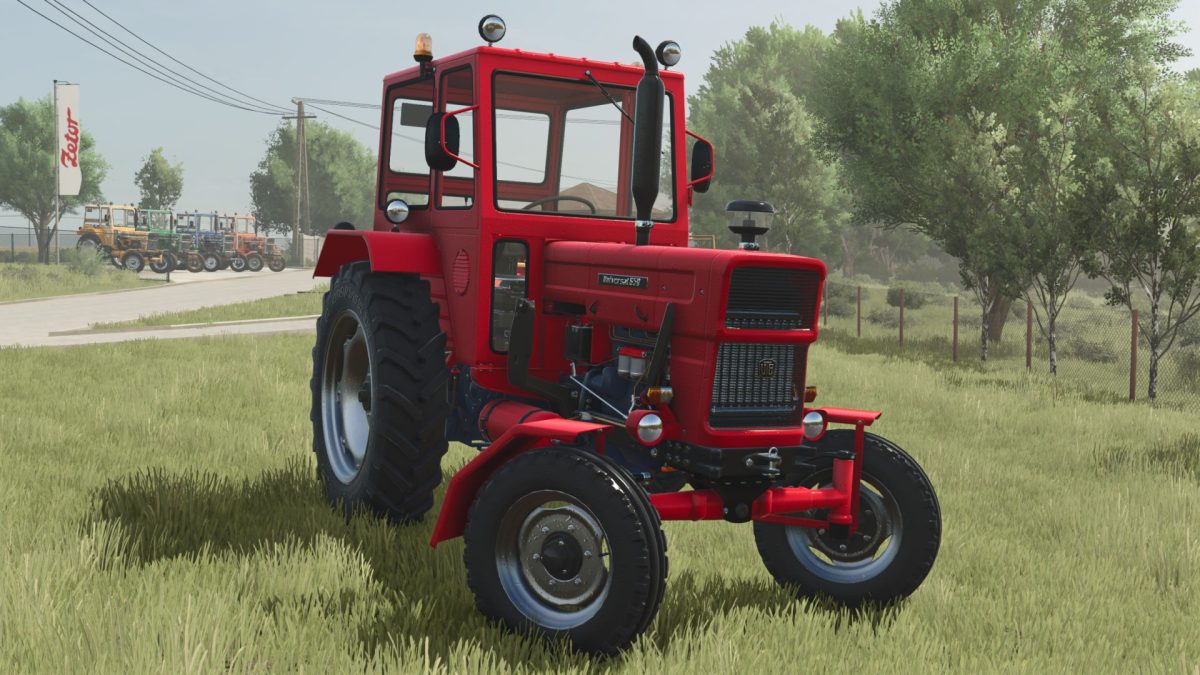
UTB 650 v 1.0

UTB 650 v 1.0

The UTB 650 v 1.0 mod for Farming Simulator 25 offers players a versatile option for enhancing their farming experience.
This vehicle comes equipped with a range of configurations, allowing for personalized adjustments to fit different farming needs.
Users can customize both the body color and the rim color, providing flexibility in aesthetics to suit individual preferences or match with other equipment in the game.
The mod is designed to integrate seamlessly with the existing gameplay, contributing to a more immersive simulation.

– Customizable body and rim colors
– Configurable options for tailoring to player preferences
– Compatible with Farming Simulator 25 gameplay
– Enhances vehicle variety and customization opportunities

Credits:

Yakim

How to install FS25 Other Tractors?
Firstly find a mod which you like and want to download. Then download a mod to your PC. Mods are usually in .zip format file. But sometimes it can be in .rar. If a mod file is a .zip format no needed additional actions. If a file is in .rar, then you must unarchive mod with software like WinRar or Zip7. Windows 10 users no need to use software for archives, Win10 itself has a feature to unarchive files.
The next step is to find mods folder in your PC. Usually, it is in Documents/My Games/Farming Simulator 25/2025. Open the "mods" folder and put downloaded .zip archive or unarchived .rar file to this folder.
Last step. Enjoy of FS25 mods!

Leave a Reply

Your email address will not be published. Required fields are marked *