
FS25 Buildings

Bio Tank v 1.0

Bio Tank v 1.0

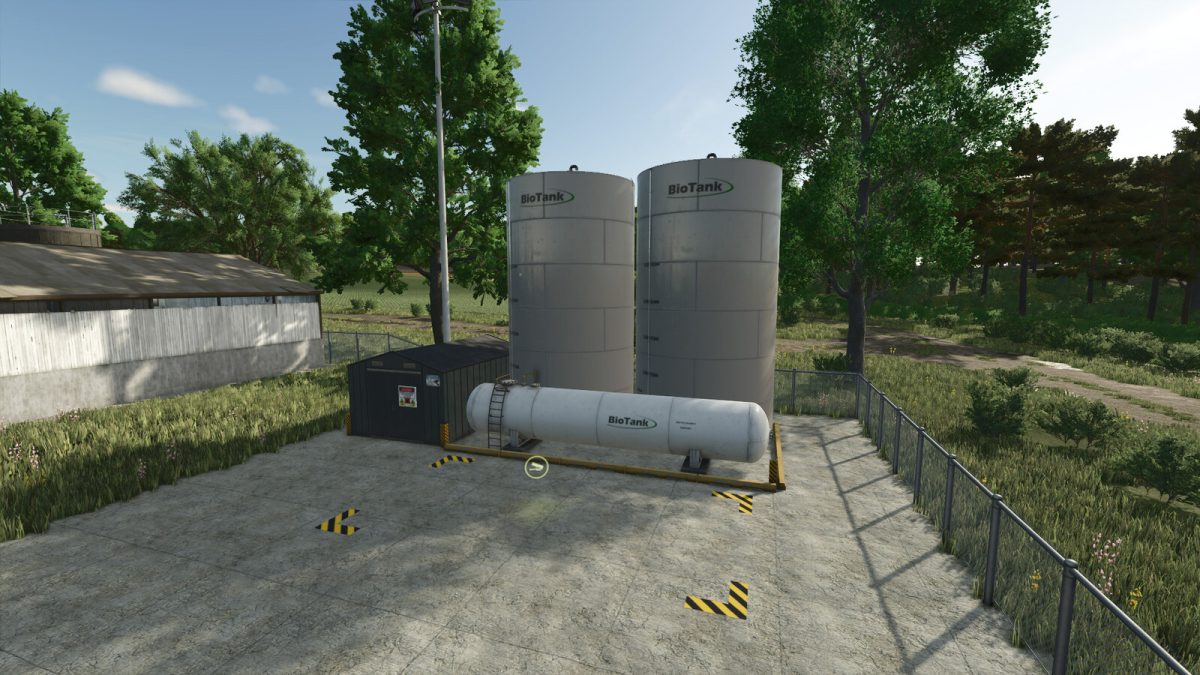
Place it on your land and have this Bio Vat to sell your chemicals and animal products.
You can now empty your slurry tank if you no longer need it and thus transport other liquids. Thus, you no longer need to have several cisterns on your farm.
You can also sell your surplus seeds or fertilizers if you are short of money.

However, you must bear in mind that liquids in pallets are not taken from this point of sale. You will need to transfer them to a tank to sell them.

The Bio Tank supports the following products:
– Manure
– Liqudmanure
– Digestate
– Seeds
– Solid fertilizer
– Liquid fertilizer
– Herbicide

The price is only 30000 $

Credits:

GRIMLOCK_RRC

How to install FS25 Buildings?
Firstly find a mod which you like and want to download. Then download a mod to your PC. Mods are usually in .zip format file. But sometimes it can be in .rar. If a mod file is a .zip format no needed additional actions. If a file is in .rar, then you must unarchive mod with software like WinRar or Zip7. Windows 10 users no need to use software for archives, Win10 itself has a feature to unarchive files.
The next step is to find mods folder in your PC. Usually, it is in Documents/My Games/Farming Simulator 25/2025. Open the "mods" folder and put downloaded .zip archive or unarchived .rar file to this folder.
Last step. Enjoy of FS25 mods!

Leave a Reply

Your email address will not be published. Required fields are marked *