

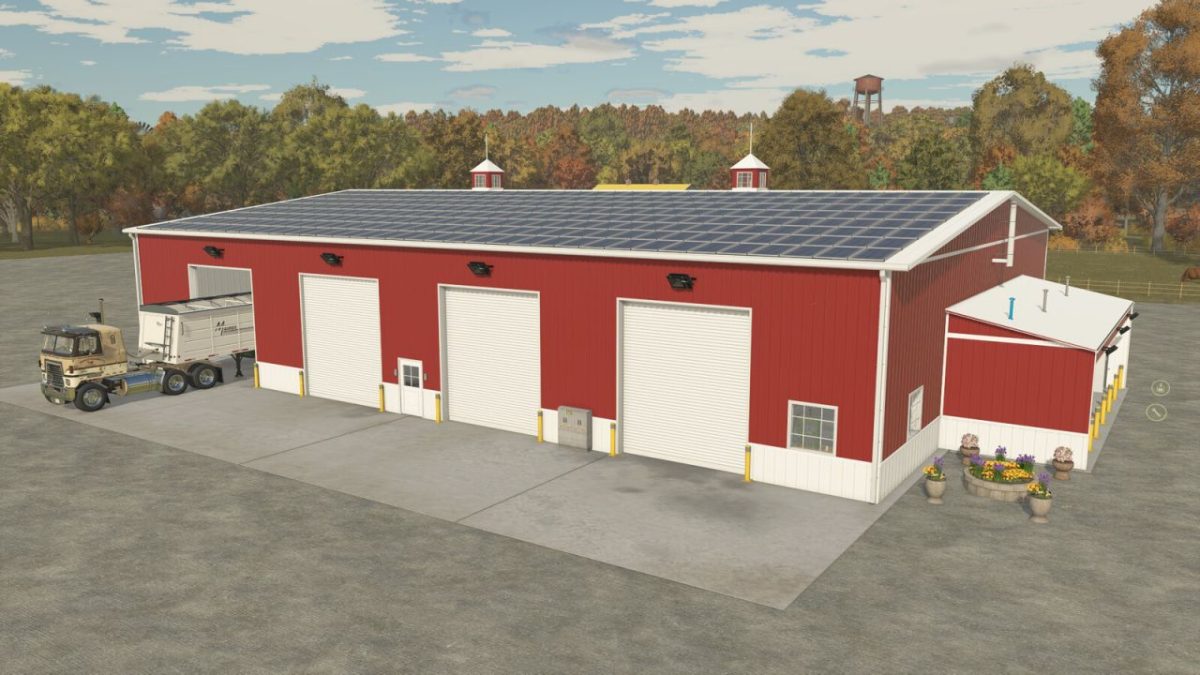
American Midwest Truck Shop v 1.0


The American Midwest Truck Shop mod for Farming Simulator 25 is designed to enhance your farming experience by providing a multifunctional facility.
This mod allows players to store crops, machines, and also offers repair and customization options.
The building is equipped with multiple access points, including roller and man doors, which facilitate easy movement of equipment.
An added feature is the full exterior lighting, which includes automatic night lights for enhanced visibility and security when accessing the facility after dark.
The middle section of the hall includes a unique metal design that comes with a variety of color options, allowing for personal customization.
Additionally, players can incorporate decorative solar panels into the setup for an eco-friendly touch.
The American Midwest Truck Shop falls under multiple categories, including Sheds and Diesel Tanks, providing both utility and versatility on your farm.
– Storage for crops and machines
– Repair and customization options
– Multiple access doors (roller and man doors)
– Automatic night lighting
– Customizable metal section with color options
– Includes decorative solar panel configuration
– Categorized as Sheds and Diesel Tanks (35,000)
– Selling point functionality
Credits:
ikas


