Case IH Maxxum 5100 Series v 1.0


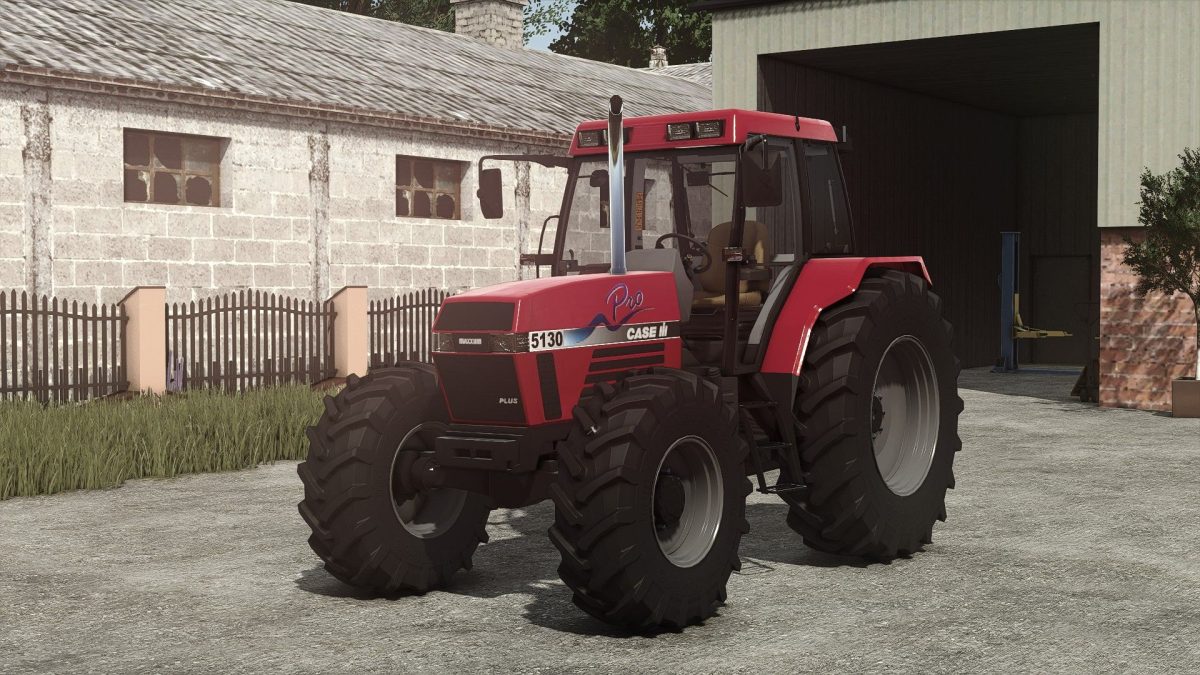
The Case IH Maxxum 5100 Series is a versatile tractor designed for various farming tasks in Farming Simulator 25.
This model features a power range of 105 to 150 horsepower, making it suitable for both small and medium-sized operations.
Priced at 47,000, it offers a good balance between performance and affordability.
The mod allows players to customize their tractor extensively.
It includes several engine options to match your requirements, and features such as GPS, warning signs, and beacon lights enhance functionality and safety on the farm. Additional customization options like front fenders, horse shoes, air trumpets, and different attacher configurations are available, providing players with the flexibility to tailor the tractor to their specific needs.
You can also equip the tractor with a frontloader and choose from various rim colors for a personalized touch.
– Power Range: 105-150hp
– Price: 47,000
– Engine configurations
– GPS functionality
– Warning signs
– Beacon lights
– Front fenders
– Horse shoes
– Air trumpets
– Attacher options
– Frontloader compatible
– Rims color customization
Credits:
Starlexs, Maggi, Niknab