

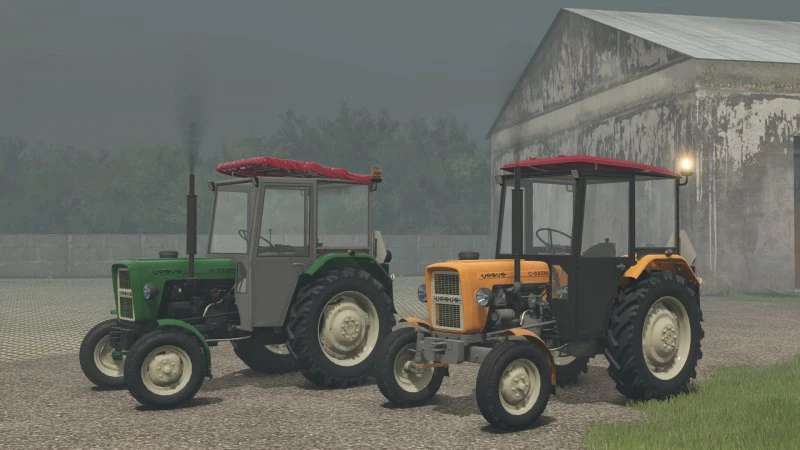
Ursus C330/M v 1.0


The Ursus C330/M v 1.0 mod for Farming Simulator 25 offers a detailed and functional classic tractor experience. Priced at $15,500, it delivers a power output of 31.5 HP and reaches a top speed of 27 km/h.
This mod features a range of configurations to enhance your gameplay. Players can select from various tire options including new stomiles, and choose from six different cabs for personalized aesthetics and comfort. The addition of front weights, alongside a new model, ensures better balance and handling for your farming tasks.
Further customization includes mud flaps for both the front and rear, front fenders for added style and protection, and wheel weights option for improved traction. Players can modify the colors of the engine, hood and fender, rims, and front grille to match their preferences. Additionally, the mod allows for sticker options in black and silver to display unique branding on the tractor.
– Base price: $15,500
– Power: 31.5 HP
– Top speed: 27 km/h
– Configurable tires (new stomiles, cabs)
– Front weights available (new model)
– Six cab options
– Mud flaps (front and rear
Credits:
SPEEDY, Kolumb14, Dawideq, Pietruu


