

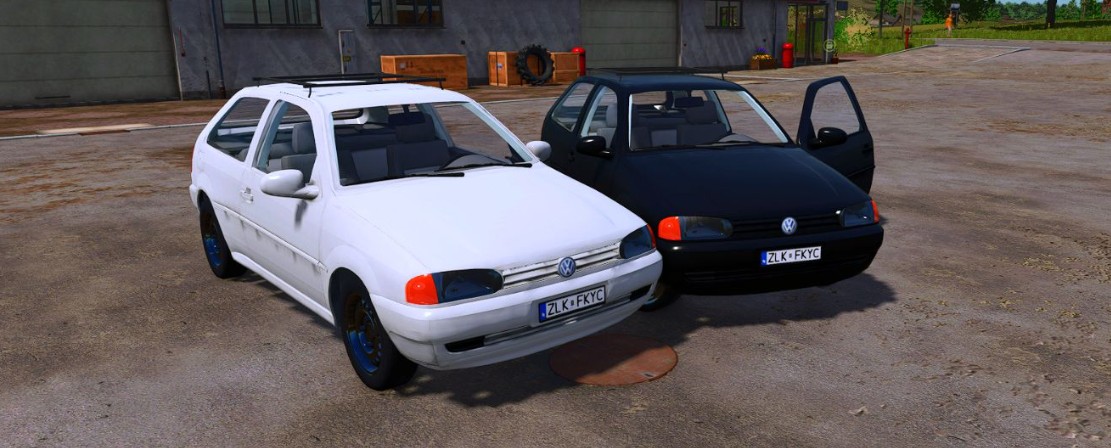
Volkswagen Gol G2 v 1.0


The Volkswagen Gol G2 is a versatile vehicle designed to meet the needs of various players in Farming Simulator 25. Whether you are a small-scale farmer or an RPG enthusiast looking for a suitable in-game car, the Gol G2 offers a range of specifications to enhance your gaming experience. With a power range of 55 to 220 horsepower, this car is capable of tackling diverse tasks around your farm.
The vehicle is reasonably priced at 20,000, making it accessible for players in different stages of gameplay. It comes with a payload capacity of 55 liters and weighs in at 896 kg, ensuring that it can handle a variety of tasks without being cumbersome.
Customization is a key feature of the Volkswagen Gol G2, with multiple optional enhancements available. Players can modify the height, choose different wheels and tires, add a roof rack or trailer hitch, and select various colors for both the car body and wheels, allowing for a personalized gaming experience that suits individual styles and preferences.
– Power range: 55-220 HP
– Price: 20,000
– Capacity: 55L
– Weight: 896 kg
– Customizable features include height, wheels, tires, roof rack, trailer hitch, and color options
Credits:
Eduu, Cola, Dean 3D


