

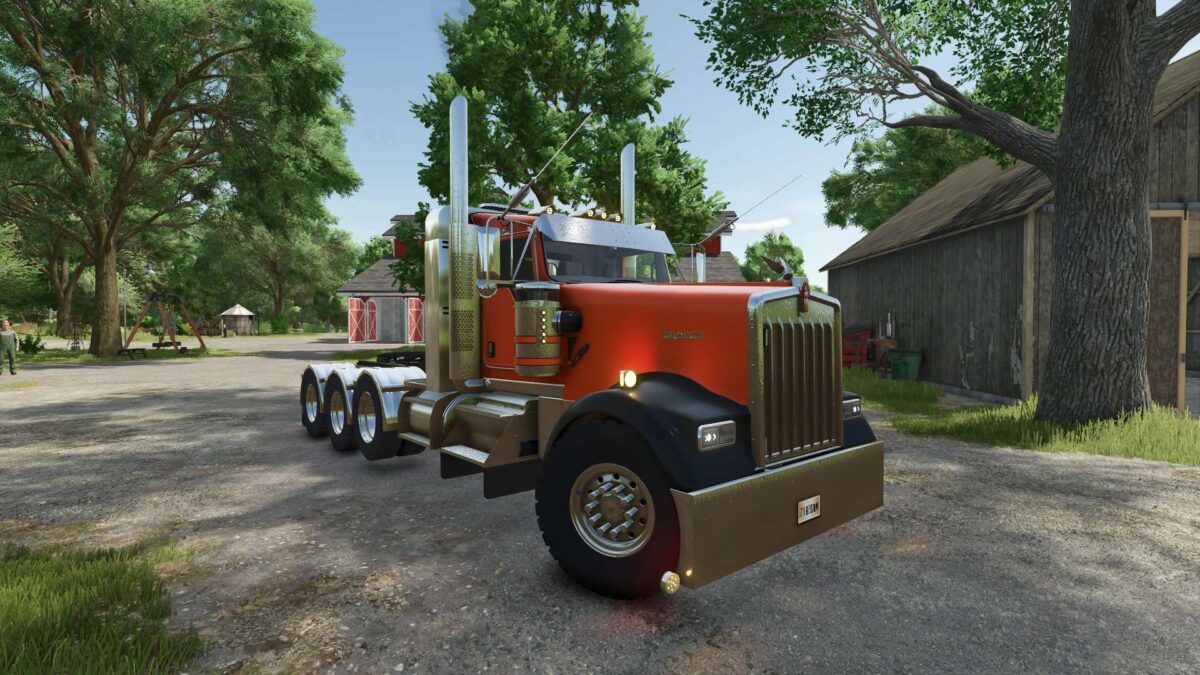
Kenworth W900L v1.3


The Kenworth W900L v1.3 mod for Farming Simulator 25 introduces a highly customizable truck that enhances your farming experience. This version features an engine selection option, allowing players to choose between a powerful 485 hp and a robust 1100 hp engine, which can cater to different hauling needs and preferences. The mod includes a lowered tag axle, providing improved stability and maneuverability when transporting heavy loads.
Players can personalize their trucks further with a selection of license plates and decals, adding a unique touch to their vehicle. Additionally, the mod offers a variety of color options, enabling you to tailor the truck to your style or match it with your farming fleet.
With these features, the Kenworth W900L v1.3 mod is designed for users seeking flexibility and aesthetics in their gameplay.
– Engine selection: 485 hp and 1100 hp
– Lowered tag axle for improved stability
– Customizable license plates
– Selectable decals for personalization
– Range of selectable colors
Version 1.3:
* Added flashing lights
* Dastically improved and optimized model
Credits:
Half Assed Modding, Status Low Modding, D3D, OFG Danno, TSC, Canada FS


