

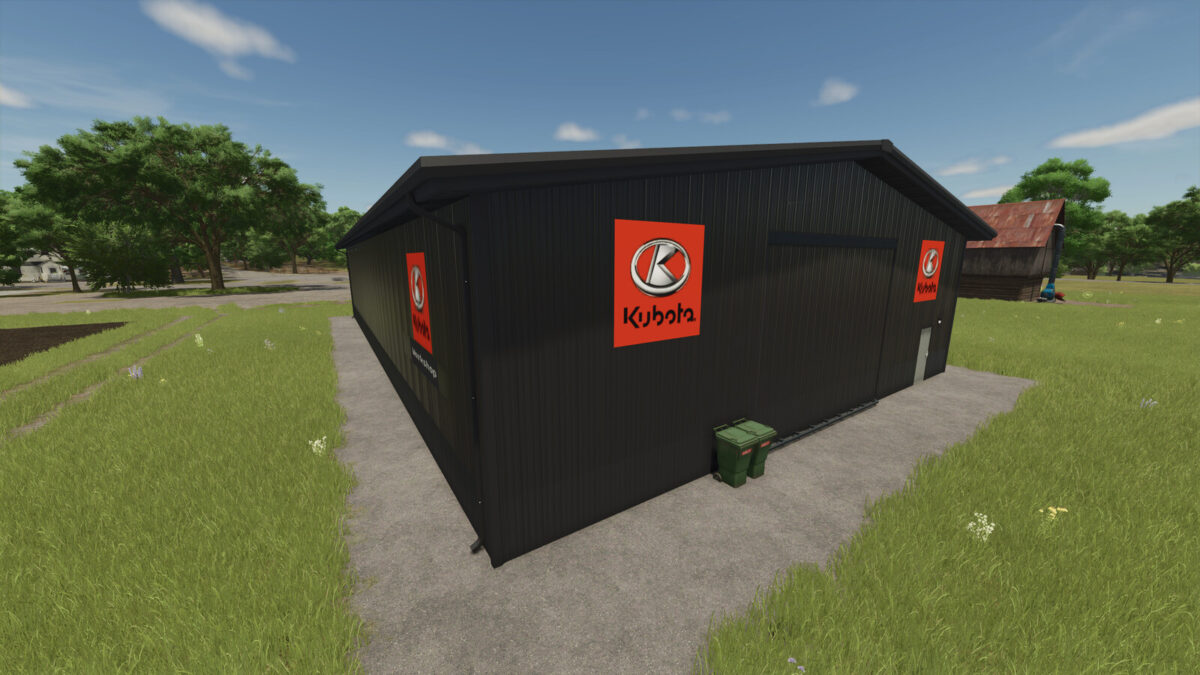
Kubota Workshop v 1.0


The Kubota Workshop v 1.0 provides players with a functional setup for repairing vehicles and equipment in Farming Simulator. While it prominently features the Kubota branding, this workshop offers repairs for not only Kubota machines but also for a wide variety of other brands, making it a versatile addition to any farm.
The workshop is priced at $50,000 and incurs a daily maintenance cost of $5, ensuring that you can keep your fleet in top condition. It falls under the tools category, making it easy to locate within the game.
Additionally, the mod includes a Kubota sign, available for $1,000, which can be placed as a decorative element to enhance the aesthetic of your farming operation. This sign complements the workshop and adds a touch of branding to your farm setup. Overall, the Kubota Workshop and sign serve as practical and visually appealing assets for any player looking to enhance their gameplay experience.
Credits:
The Lort


