

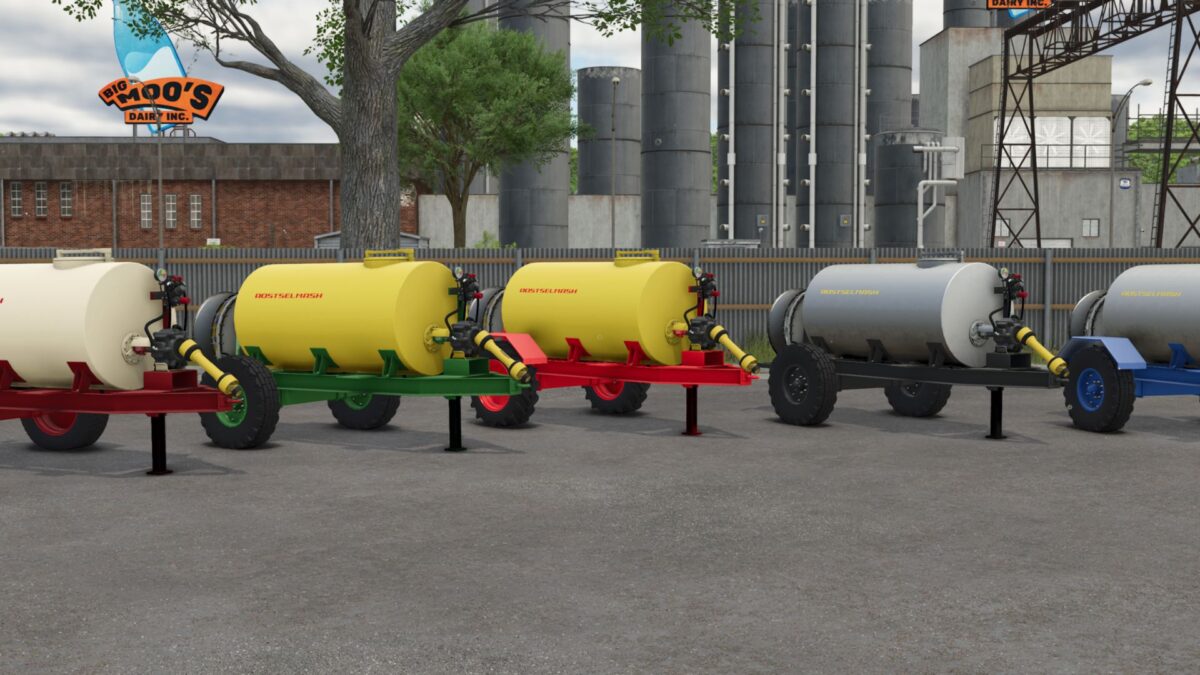
Rostselmash OPVS 2000 v 1.0.0.1


A small reservoir for liquid fertilizers and herbicides with a fan for application by fields.
Manufacturer: Rostselmash
Model: OPVS-21
Price: 7,227 euros.
Working speed: 15 km/h
Additional options:
– Choosing the color of the barrel: yellow, milk, stainless steel
– Choosing the color of the frame: green, red, red, blue, gray
– Choosing the color of the decals: white, yellow, red, red
– Choice of discs: green, red, red, blue, gray, milk
– The choice of wheels
– The choice of wings, mudguards
– The choice of lighting
– Choosing a bumper, fan protection
– Configuration of the attachment of the trailer
All materials were transferred to the fs25 shader.
User materials in the form of templates are preserved both in Moddesc and Giants Editor.
Version 1.0.0.1:
* Fixed Bug: did not refue from the European cubs
Credits:
RazorModdingTeam, DIMAS1523, Eger Kuzmich


