

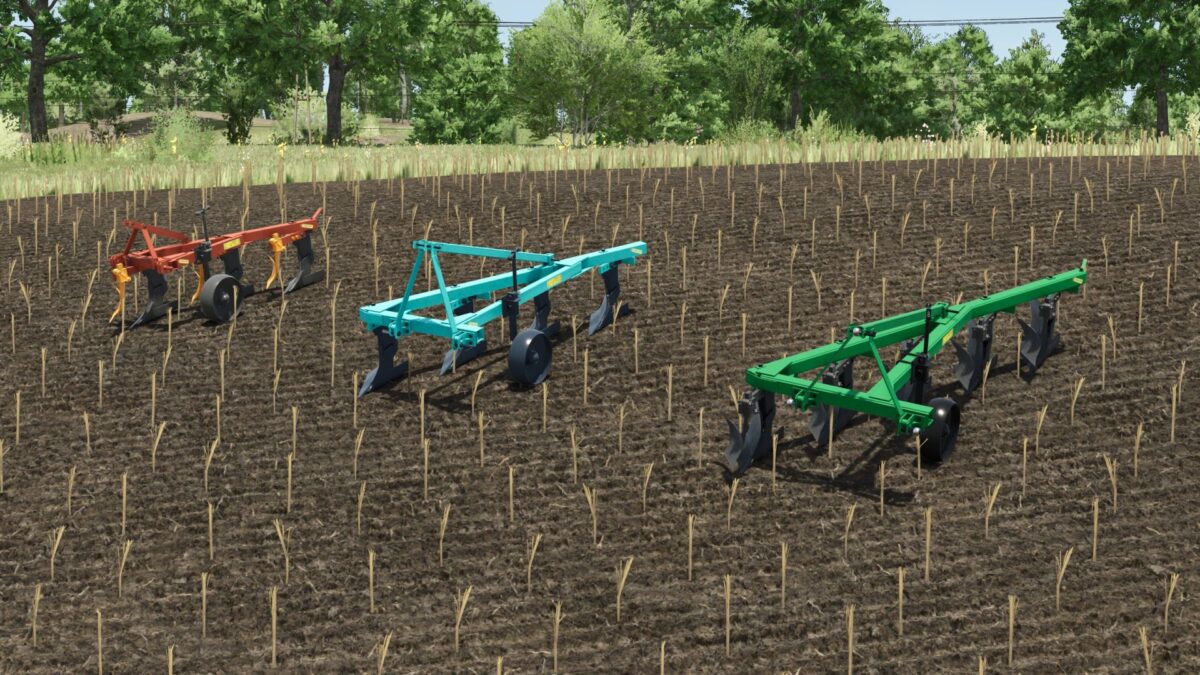
PLN Plows Pack v 1.0


Here you have 3 small plows to take care of your fields after the harvest
5-35 PLN:
– Cost: €2,320;
– Working width: 1.7 m.
– Working speed: 9 km/h;
– Required tractor power: 150 HP;
– color selection;
– Configuration of the forearms;
– Mounting configuration;
– Gets dirty and washable;
– The effect of aging;
– The effect of getting wet.
4-35 PLN:
– Cost: €2,130;
– Working width: 1.4 m.
– Working speed: 9 km/h;
– Required tractor power: 130 HP;
– color selection;
– Configuration of the forearms;
– Mounting configuration;
– Gets dirty and washable;
– The effect of aging;
– The effect of getting wet.
3-35 PLN:
– Cost: €1,940;
– Working width: 1.1 m.
– Working speed: 9 km/h;
– Required tractor power: 80 HP;
– color selection;
– Configuration of the forearms;
– Gets dirty and washable;
– The effect of aging;
– The effect of getting wet.
Credits:
FarmAndrei, Vladimir69, TYOMATY


