Drive-in Distribution Center v 1.0


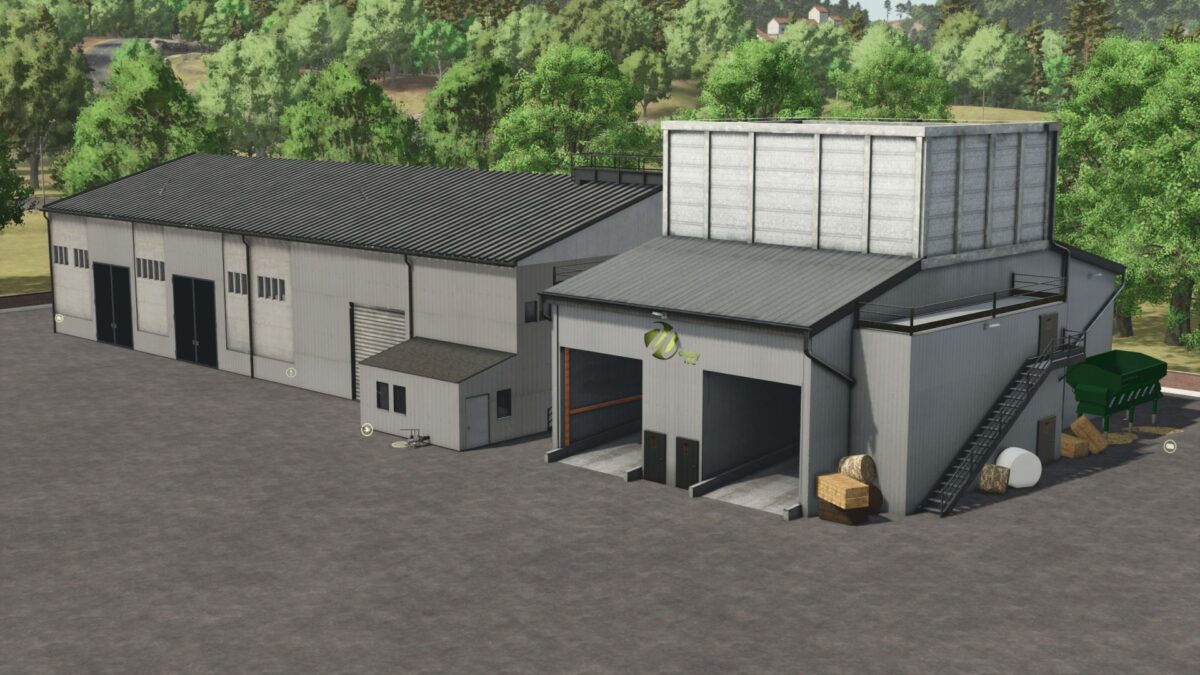
Drive-in distribution center as central harvest unloading point for distribution to production or direct sales and Drive-in silo for storage of bulk goods, bales and pallets.
2 buildings – distribution center and silo in Pack.
Each building costs €117,000
Distribution center (in the store under “Production >Factories”):
The Central Collection Point for harvesting and production:
– 2 unloading ramps for bulk goodsPallet storage for up to 350 pallets with recovery functionTank column for silage additives, diesel, AdBlue vehicle refuelingStorage, sale and distribution of raw materials from harvest and production to production – Distribution Center – liquids are also supportedBallets – trigger for round and square bales also in cotton direct sale adjustable
Silo (in the store under “Silos”):
– Pallet storage for up to 350 pallets with MultiFruit recovery function (bulk) 2 covered unloading points, unloading also possible with Meiller skips Unloading point for round and square bales Unloading point for liquids Loading point in the hall! (inside)
Credits:
Wobby