

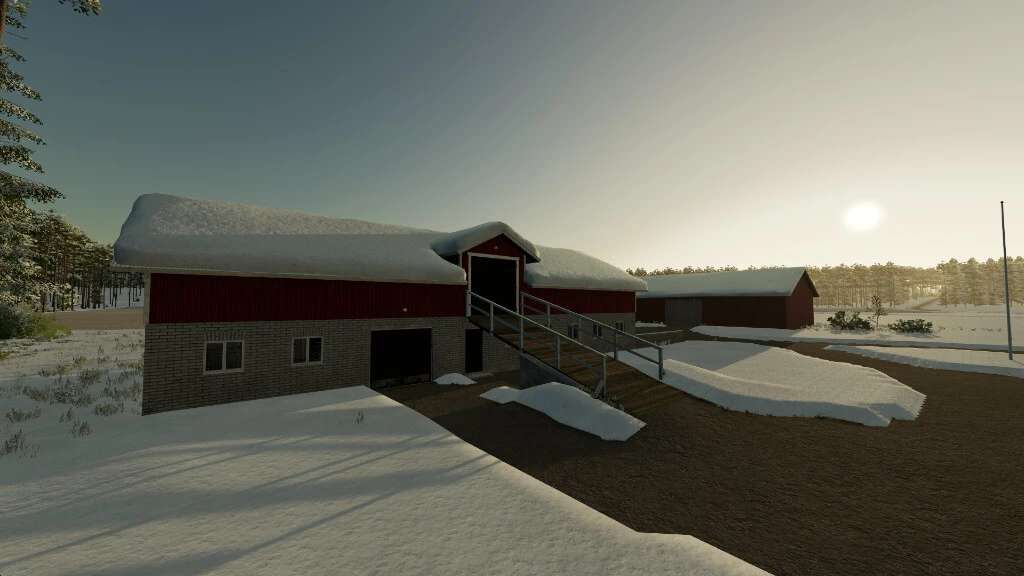
Old Brick Cow Barns Expandable Pastures Pack v 1.0


This pack contains old tie stall dairy barns. Barns of this style were built in Finland in the mid-20th century and are an inseparable part of the Finnish countryside. Fewer and fewer of them are still in their original use today as agricultural demands increase, but like these, some still serve the needs of the animals thanks to upgrades made towards the end of the last century.
The number of animals in a base barn has been set low, as tie-stall barns require outdoor pasture. By extending the grazing area, the number of animal places will increase.
All barns have space for food and/or equipment, so if you don’t want to keep animals, you can use them as a garage to decorate your yard.
The package also includes a selection of manure pits suitable for barns. Some manure pits can only be placed in certain orientations, while others can be freely adjusted. Please note that if you place a manure pit in an orientation other than perpendicular to the map that the game prefers, it is possible that manure will spill through the walls.
Old barns like these typically cannot collect liquid manure, but if you wish, you can however build a slurry tank extension with loading trigger in the vicinity of the barn.
Option 1
– Price: $25,000
– Animal capacity: 1 + expandaple pasture (8 stalls)
Option 2
– Price: $32,000
– Animal capacity: 2 + expandaple pasture (12 stalls)
Option 3
– Price: $50,000
– Animal capacity: 2 + expandaple pasture (24 stalls)
Manure pits
– Price: $5,000-10,000
Credits:
Agrogaatti


