

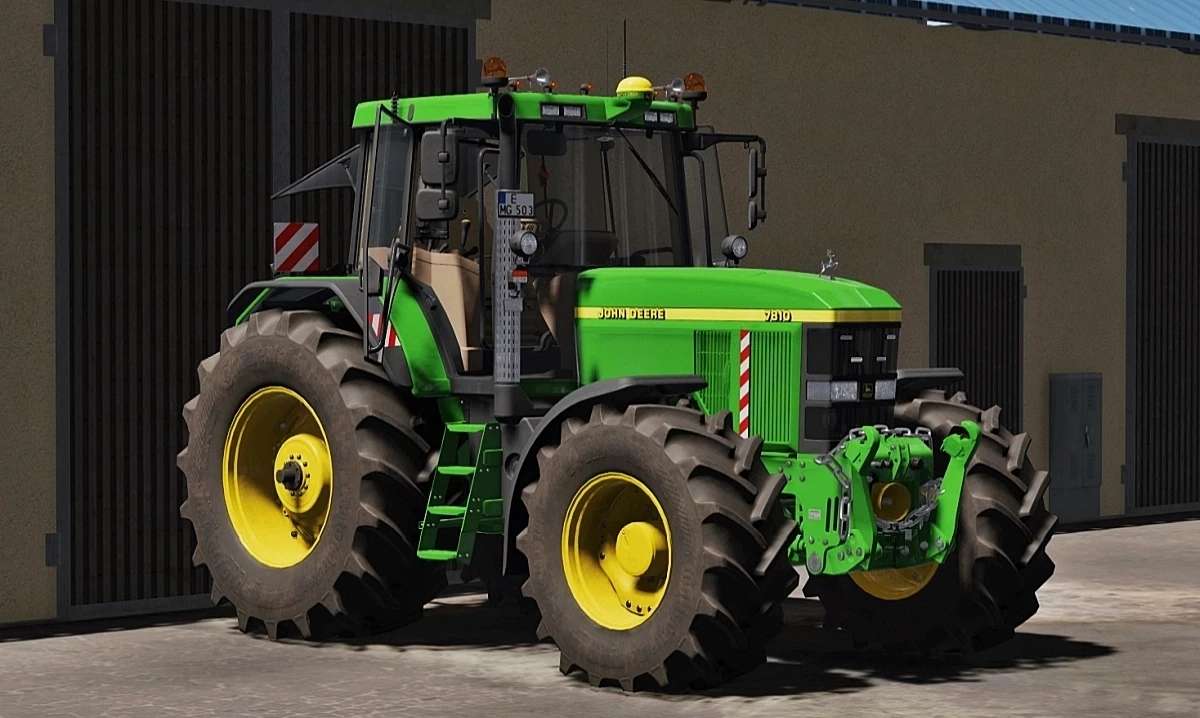
John Deere 7010 Series v 1.0


Power: 160 – 175 hp.
New specifications:
– Added Interactive Control support
– Removed Simple IC
– Added Passenger mod support
– Added Dashboard Live support
– Added RealGPS support
– Added Chain on FH config
– Added Top lights config
– Added Deer on bonet
– Added Air trumpets config
– Added Michelin Mann config
– Added Warning sings config
– Added Warning stickers config
– Added Strobes lights config
– New horn sound
– New windows textures
– New dynamic smoke
– New details in model
Interactive Control functions:
– Doors (Open/Close)
– Rear window (Open/Close)
– Foldable warning sings
– Turnlights (Left/Right)
– Ligts
– Ignition
– Radio
Configurations:
– Wheels/Tires
– Rims color
– FL console
– Front PTO
– Engine power
– Exhaust
– GPS
– Beacon lights
– Number Plates
– Work lights
Credits:
MoosAgrar, Digital One


