

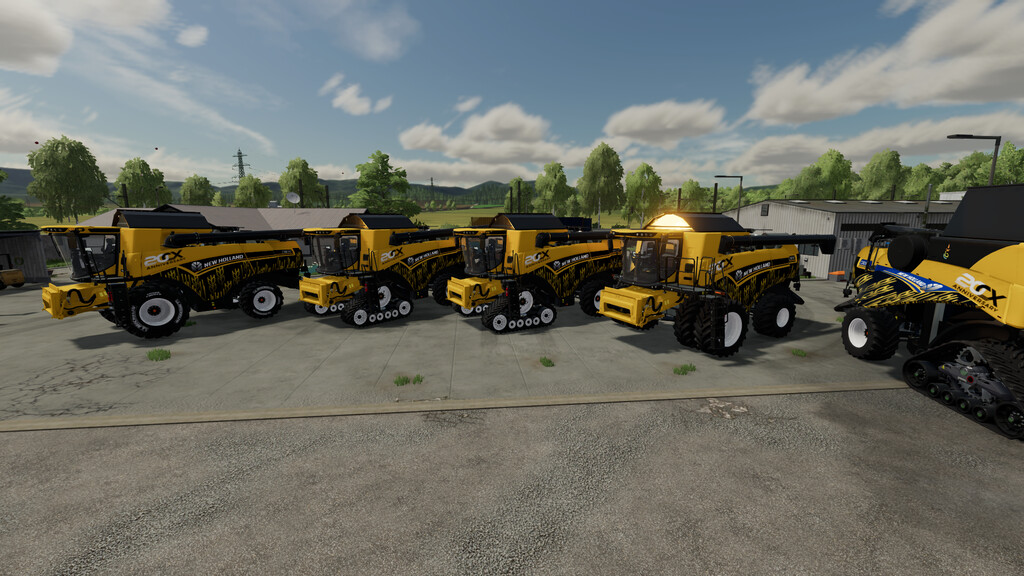
New Holland CX v 1.0


The New Holland CX range has defined super conventional combine harvesting since its launch in 2001, and almost two decades
on, New Holland has decided to redefine harvesting productivity. The CX8 range delivers super-sized productivity and has
further elevated its already impressive capacity.
Price: 140,000$
Power: 370 hp – 512 hp
Max. speed: 30 kph
Capacity: 9,500 l – 14,500 l and 18,500 l unrealistic option
Model year: 2016 – 2024
Configurations:
According to engine and seed container type: 8.70, 8.80, 8.90, 20CX Anniversery, 2024 edition
Wheels and Crawlers configuration: SmartTrax, Lizard, Michelin, MITAS, TRELLEBORG, CONTINENTAL
Pipes: four types of pipes width, maximum range 14m
Sraw distribution width according to the header, max 14m
Colors: body and rims color configuration
Decals: author, design and 20th Anniversery
Design ligths on the flaps
warning signs
Other features:
– console friendly elements
– Kubota Passenger compatible (PC only)
– Real Dashboard (PC only)
– Real GPS LSFM (stript ready to add custom map) (PC only)
– Custom authored icon do interactive Controls (PC only)
– New Holland header4408 6m with 20th Anniversary decals
– New Holland terraFlex3050 12m with 20th Anniversary decals
Credits:
Cpt.G


