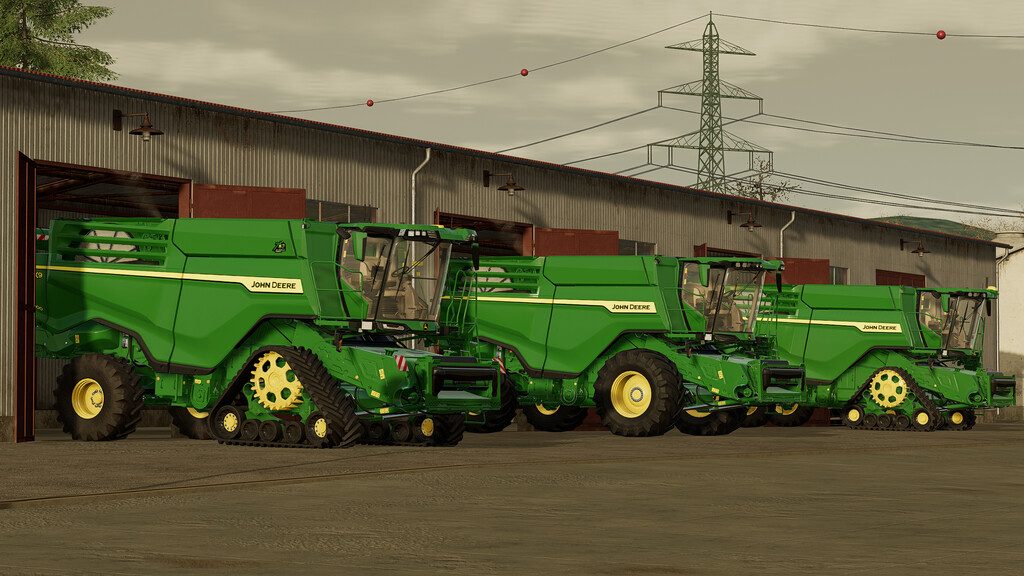
John Deere X9 Series v 1.0


X9. Performance taken to the next level.
The John Deere X9 combine is all about superior performance and efficiency.
Imagine harvesting with a throughput of more than 100 tonnes per hour – with less than 1% losses.
Then think minimal maintenance and time-saving features to maximise the harvesting day.
Now picture yourself in the most luxurious and quietest combine cab we have ever created.
And realise that you’re in a digital harvesting system, where mobile apps and wireless data transfer deliver unprecedented management control.
Now you’re in an X9, the 100-tonne combine from John Deere.
Model year 2020-
Engines: 1000 and 1100
Max speed: 40 km/h
Price: 500500 $
Configurations:
-Motor configuration
-StarFire and additional monitors configuraiton
-Light packages configuration
-Monitor generation configuration
-Radio system configuration
-Track and wheels configuration
-Edition configuration
-Mirrors configuration
-Warning signs configuration
-Back wheel hubs configuration
-Pipe configuration
-License plate configuration
-Grain tank configuration
-Pillar color configuration
-Tinted windows configuration
-Seat material configuration
-EU, US and Brasil versions
-Custom sounds
-Interior fully animated
-Correct colors on the model
Prepared for Interactive Control. (FS22_interactiveControl)
Prepared for passenger script. (FS22_Kubota DLC)
Prepared for Camera system. (FS22_CameraSystem)
Credits:
Dince