

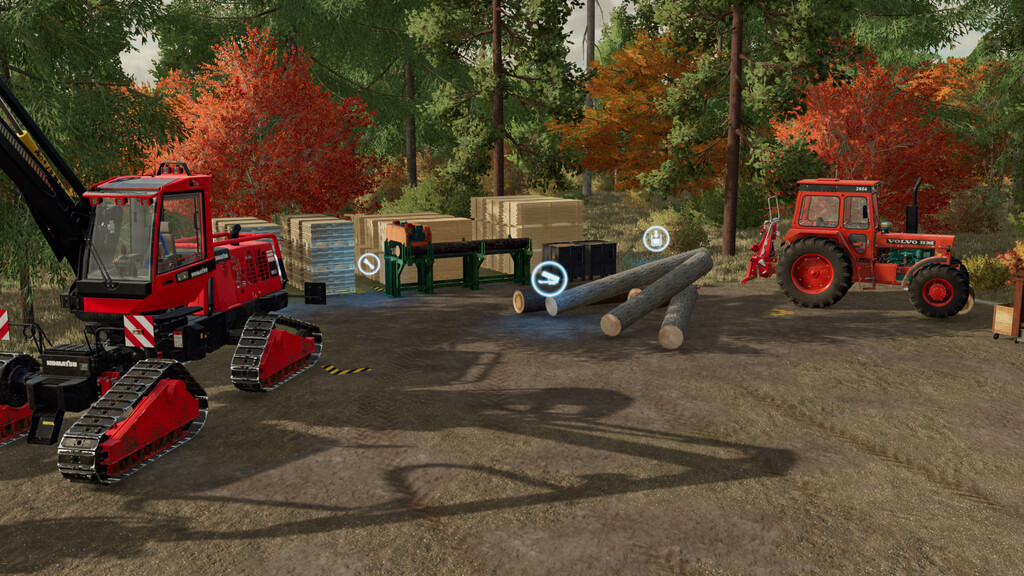
Industrial Sawmill v 1.0


Tired of driving across the entire map to sell your wood, or want a small and efficient sawmill directly on your farm? This mod is for you.
A homestead-sized sawmill for your farm with two versions to either serve as a direct-sellpoint or a sawmill production. Depending on the style of your farm the sawmill is also available in a “rusty but trusty” look.
Placeables:
– Industrial Sawmill (sellpoint) : Sellpoint for wood, woodchips, and wood products. Gain a slight bonus for selling direct on your farm.
– Industrial Sawmill (production) : Producing planks and allowing direct selling or delivery of your wood. Also produce long planks and wood beams with the Platinum Edition enabled!
Styles:
– Industrial Sawmill : The default look for the sawmill with an overall “used” look. Not a showroom sawmill, this is a working sawmill!
– Rusted Industrial Sawmill : They don’t make them like they used to! This sawmill has stood the test of time, but is rusted to it’s core after the paint flaked away. Still works, though!
Credits:
GMNGjoy


