

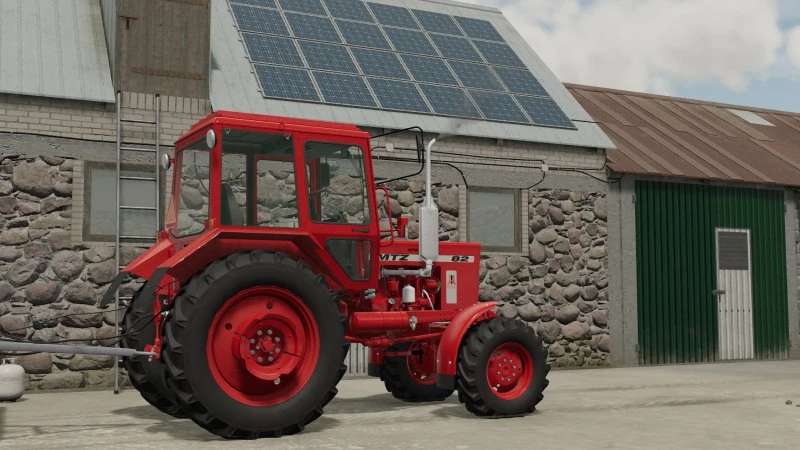
MTZ 82 Pronar v 1.0


The MTZ 82 Pronar v1.0 mod brings a versatile tractor option to Farming Simulator, featuring several customizable configurations to suit different farming needs. Users can choose from two body color variants, blue or red, along with rim color options in white, gray, or black.
The mod includes functional add-ons such as the PFN 0.9 front loader, which enhances the tractor’s utility for various tasks. For improved weight distribution and stability, players have the option to attach additional wheel weights.
Safety is also considered with the inclusion of a warning light to ensure visibility during operation. Additionally, the mod supports a GPS navigator, allowing for precise field management. The compatibility with the “guidanceSteering” script further enhances driving and maneuvering capabilities, making this tractor a practical choice for modern farming operations.
Configurations:
– Color variant: blue, red
– Color variant (rim): white, gray, black
– Front load (PFN 0.9)
– Additional wheel weight
– Warning light
– GPS navigator
– Support for the “guidanceSteering” script
Credits:
Bartek90256, Kocurek7211


