

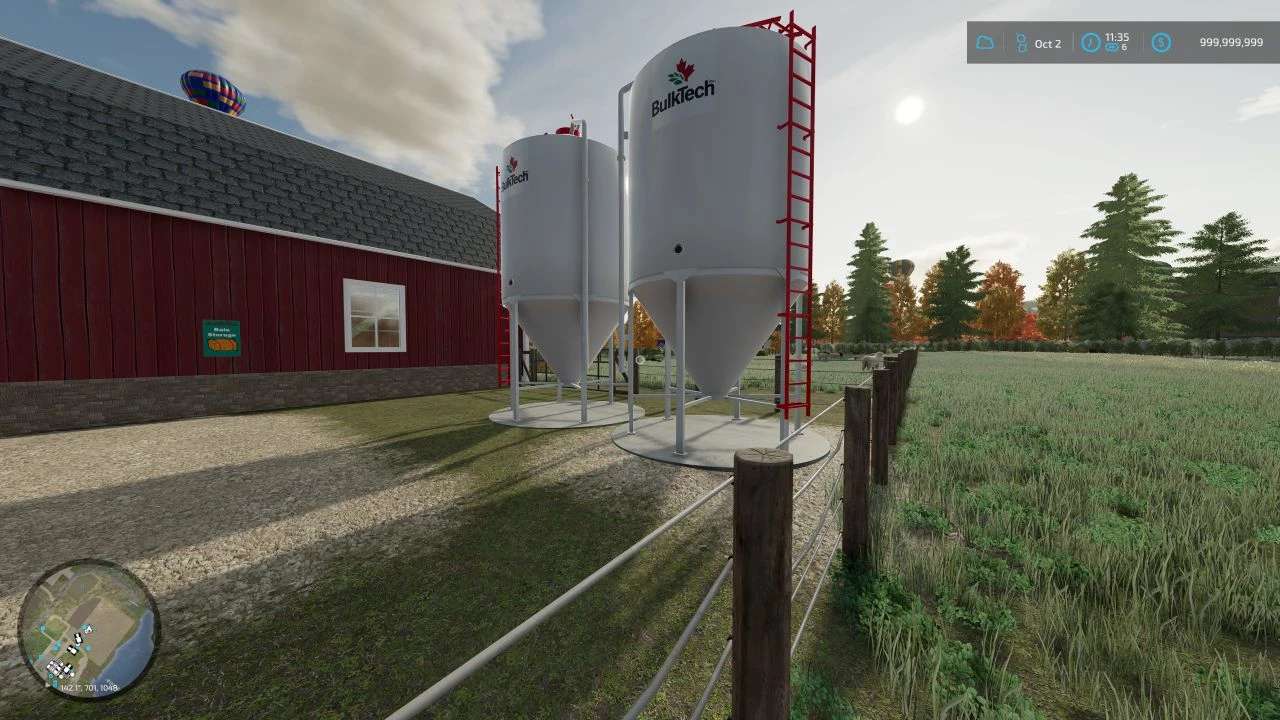
BulkTech 10 Series Dry Bins v 1.0


BulkTech bins are contemporary dry bins manufactured in New Hamburg Ontario and will fit in well on your present day Canadian map. These bins, while capable of storing many different types of items, only store one type of item at a time. In order to load and unload the bins you will need an auger.
Stored Items: Wheat, Barley, Oats, Canola, Sorghum, Sunflowers, Soybeans, Corn, Seeds, Mineral Feed Pig Food, and Lime. If you have Maize Plus installed it will store deuka Graingrist, deuka Chicken Food, deuka Hay Pellets, deuka Beet Pellets, deuka Sheep Feed, deuka Horse Food, deuka Concentrate Feed, deuka Mineral Feed, deuka Pig Food, CCM, Corn Grain Grist, and Graingrist.
Included are two different ladder and pipe configurations to suit your location.
Capacity: 794 bu (27980 litres)
Price: $150000
Triangles: 24956
Color Changeable: No
Location: Buildings –> Container
descVerision: 80
Credits:
Bad Pixie Design


