MTZ Pack v 1.0


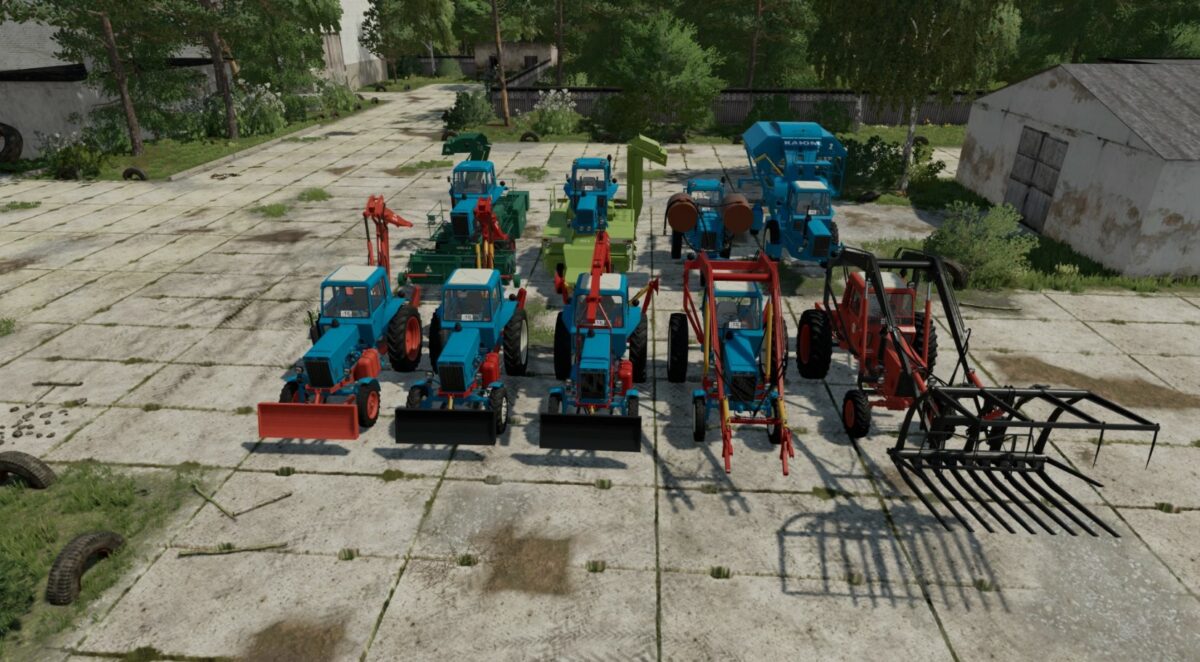
The Pack consist of:
– MTZ-80/82/Beam bridge
– MTZ-80/82 – stacker
– MTZ-82 MES 200
– MTZ-80 – half track
– MTZ-80/82 EO-2621
– MTZ-80/82 PAF-1BM
– MTZ-80x
– SPS-4.2 – beet/potato loader cleaner
– RKS-2.6 – beet/potato harvester
– HMP-1.8 – cotton harvester
– 2PTS-6 – cotton
– BM-6B – haulm harvester
– PKU Barnaul-0.8
– PKU Barnaul-0.8 with boom extension
– Grab
– Pitch fork
– Dozer blade
– Dozer blade for snow
– PS-0.8 Stogomet
– PKU-08-13
– Rake PS-0.8
– Rake SNU-550 Trailer
– Rake SNU-550-12
– POM-630
– Universal bucket 0.8 cube
– Universal bucket 1 cube
– Universal bucket 1.2 cubes
– Triangle MTZ
Configurations:
– Choice of 4 engines
– The choice of tires
– The choice of the main color, design, gratings, cylinder, harvester, blade, body kit, cargo, hatch, cab
– Choice of decals, extra light, fenders, shields, numbers, cargo, mud flaps, heaters, blade, window protection, flags, extra. barrels, front hitch
– Other configurations
– Support for Simple IC script
– Support for moreConfiguration script
– Rust support
Credits:
Ussr Modding Team